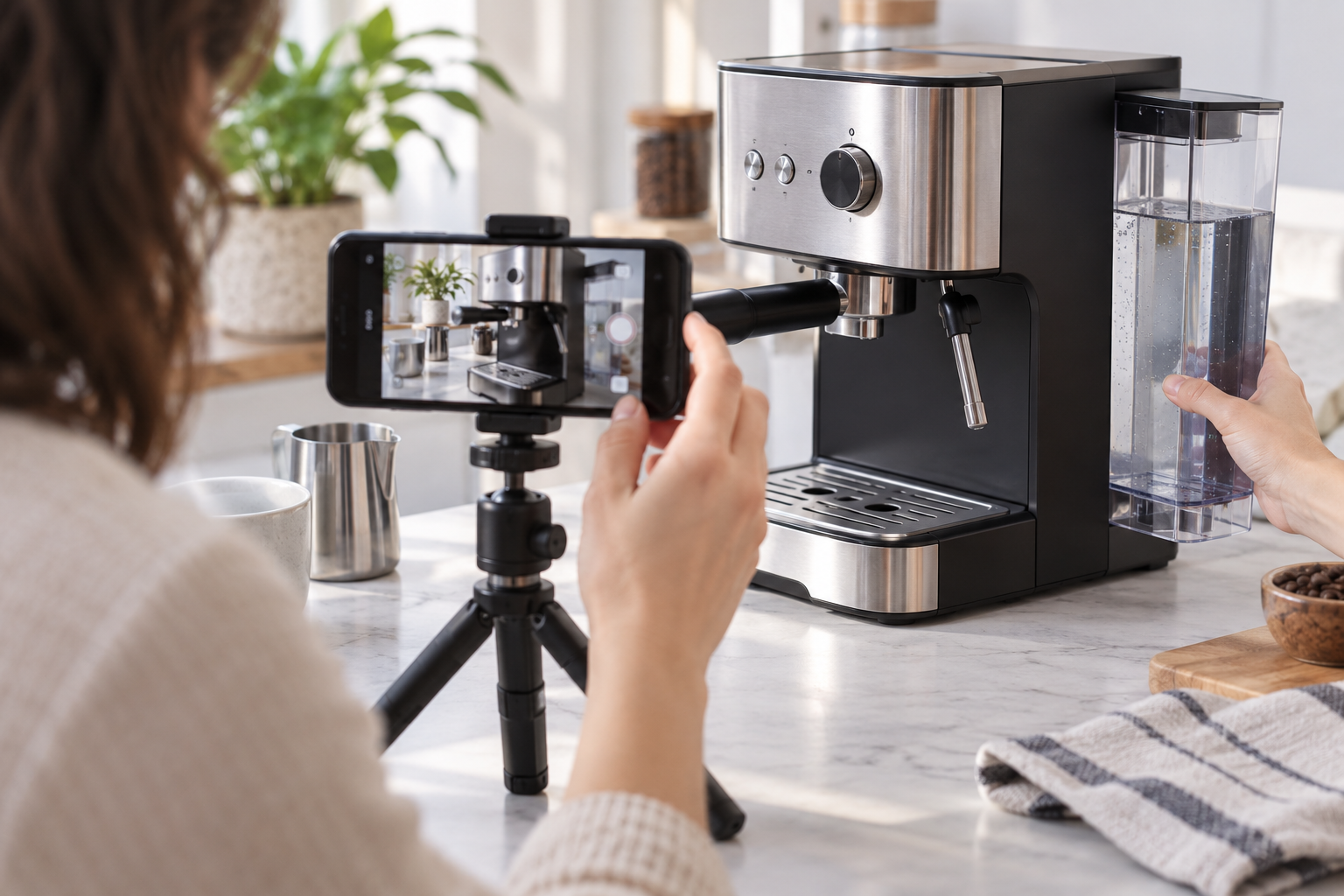
A presenter looks into the camera, smiles, and introduces a product. The lighting is tidy. The voice is clear. Yet you could swap the logo for another company’s and barely notice the difference.
It’s an easy trap with AI avatar videos. Once the presenter looks convincing, the video can feel almost finished. Then you listen to the script and realize it could be selling anything.
For a small brand, a digital host is an appealing option when regular filming is difficult to arrange. The harder part is giving that host something worth saying. A few decisions about the script, setting, and supporting footage can make the difference between a useful brand video and another talking face in the feed.
DEEPER DIVE: Ranking Arizona: Top 10 golf courses for 2026
INDUSTRY INSIGHTS: Want more news like this? Get our free newsletter here
Start With a Question Worth Answering
Imagine a small coffee brand putting together videos for people buying their first espresso machine. The obvious starting point is a product introduction: a presenter beside the machine, describing its features.
But a customer may have a much smaller question. Will a tall mug fit under the spout? Which parts come off for cleaning? What does the machine sound like in a quiet kitchen?
Each question suggests a different kind of video. The mug question needs a clear shot of the available space. The noise question needs a real recording. An avatar could guide viewers through a comparison of two models, but there’s little reason to keep a presenter on screen while demonstrating cup clearance.
Looking through customer emails before writing the brief can save a lot of guesswork. The wording in those messages is useful, too. “Will my travel mug fit?” already sounds more inviting than “Discover our versatile beverage solution.”
Give Your AI Presenter a Recognizable Role
Once there’s a reason for a presenter, the next question is who they should be. For the coffee brand, a patient guide helping someone choose their first machine makes sense. An overly excited host delivering every line like a launch announcement probably doesn’t.
Before you create AI avatars, describe the person you want customers to feel they’re listening to. A short brief might read: “A friendly coffee guide who explains unfamiliar terms, speaks at an unhurried pace, and gets to the answer quickly.”
That gives a writer much more to work with than “professional and engaging.” It also helps with visual choices. A simple kitchen setting fits the conversation; a glossy corporate backdrop may feel oddly formal.
There’s no need to invent a detailed life story for the character. Their role can come through in how they explain things. If the presenter is based on a real person, get permission to use their likeness and voice. A fictional host should be introduced as a digital presenter, without an invented job title or customer history.
Let the Script Sound Like a Conversation
Product copy often becomes awkward when someone has to say it aloud. Consider this line:
“Our compact design provides exceptional convenience without compromising functionality.”
Now picture the presenter saying:
“You can leave it on the counter and still have room to make breakfast.”
The second line is easier to picture, assuming it accurately describes the product and setting. It gives the presenter a reason to be in someone’s kitchen.
A spoken script also needs the small connections that a product page can leave out. If the video compares two machines, the viewer needs to know who each one suits. Listing their dimensions and settings leaves that work to the audience.
Reading the script aloud helps, especially if you do it at the pace of someone explaining a purchase to a friend. Long sentences become obvious. So do phrases you would never use in conversation.
Be careful about adding personality through made-up experience. “I use this every morning” may sound warm, but a digital character has no morning coffee routine. The presenter can describe a feature or introduce a demonstration without pretending to have tested it.
Show the Details the Presenter Is Talking About
A full-screen avatar is straightforward to produce, which makes it tempting to leave the host on screen throughout. That gets frustrating when the script mentions a detail the viewer can’t see.
For the coffee comparison, the presenter might introduce the two machines, then give way to close-ups of their controls and water tanks. The narration can continue while viewers examine the differences.
The avatar segment could be made with an AI video platform such as Wizstar AI, then paired with real product footage during editing. Even if much of the presentation is generated, a useful close-up may only require a phone, a steady surface, and decent light.
Some shots are worth filming precisely because customers will rely on them. Cup clearance, removable parts, and control labels need to match the actual machine. An attractive generated scene is no help if it changes the shape of a handle or adds a button that isn’t there.
Pacing matters here. When a new control appears, the viewer needs a moment to find it. Cutting away as soon as the narration finishes can make a simple explanation surprisingly hard to follow.
Keep the Familiar Parts and Change the Question
Across a series, the same presenter, voice, and caption style can make the videos feel related. A small reference folder helps: the approved character image, background, pronunciation notes, and one finished clip that shows the intended pace.
The opening doesn’t need to be identical every time, though. Someone watching three tutorials in a row won’t need three welcomes to the brand.
For the coffee series, one video could begin with two mugs beside the machine. Another could open on a part a customer has asked about. The host remains familiar, while the question gives each clip its own shape.
This is also a good moment to check whether the series has enough substance. If every script turns into “easy to use, great design, excellent results,” there may be one promotional video hiding inside six drafts.
Let Someone Else Watch the First One
Before producing the rest, show the first video to someone who hasn’t seen the script. Ideally, choose a person who knows as little about the product as the intended viewer.
Ask what they understood and where they wanted a closer look. They might miss a control that seemed obvious to the team, or point out that a caption covers the feature being described. Those comments are far more useful than a general thumbs-up.
A final phone-screen check can catch small text, rushed cuts, and awkward lip movement. Listen for product names and numbers, and make sure the digital presenter is clearly identified.
Then deal with whatever still makes the explanation difficult. If the viewer needs a clearer shot of the water tank, film that shot. There is no reason to regenerate an entire presenter sequence to solve a problem with the demonstration.