
Even a paper you want to read can feel like hard work after a day at a screen. Text to speech, or TTS, lets you hear the paragraphs in a PDF instead. You can follow an author’s argument in full, then pause when you want to examine a chart or reread a passage.
The basic process is simple: open a text-based PDF in a reader that supports TTS, choose a voice and press play. CastReader lets you do this on a computer, phone, or tablet. Here is how to get from a downloaded paper or report to listening, without making a separate audio recording.
For professional reading, the useful question is which part of the document needs your attention. An introduction can establish a report’s purpose, while a discussion section explains how the author interprets the findings. Start with one of these prose sections, then return to methods, tables, or references when you need to check the evidence.
Open the file and choose the narration
On a computer, open the CastReader PDF and document reader and choose your file. Its local mode uses available device voices without signing in. For CastReader AI narration, sign in and select an AI voice. On a phone or tablet, import the PDF through the native app and use the reading controls available there.
For the web reader, use a PDF with selectable text. An image-only scan needs text recognition before this route can read it. Being able to select words is a useful first check, but it does not prove that a complicated page will be extracted in the right order.
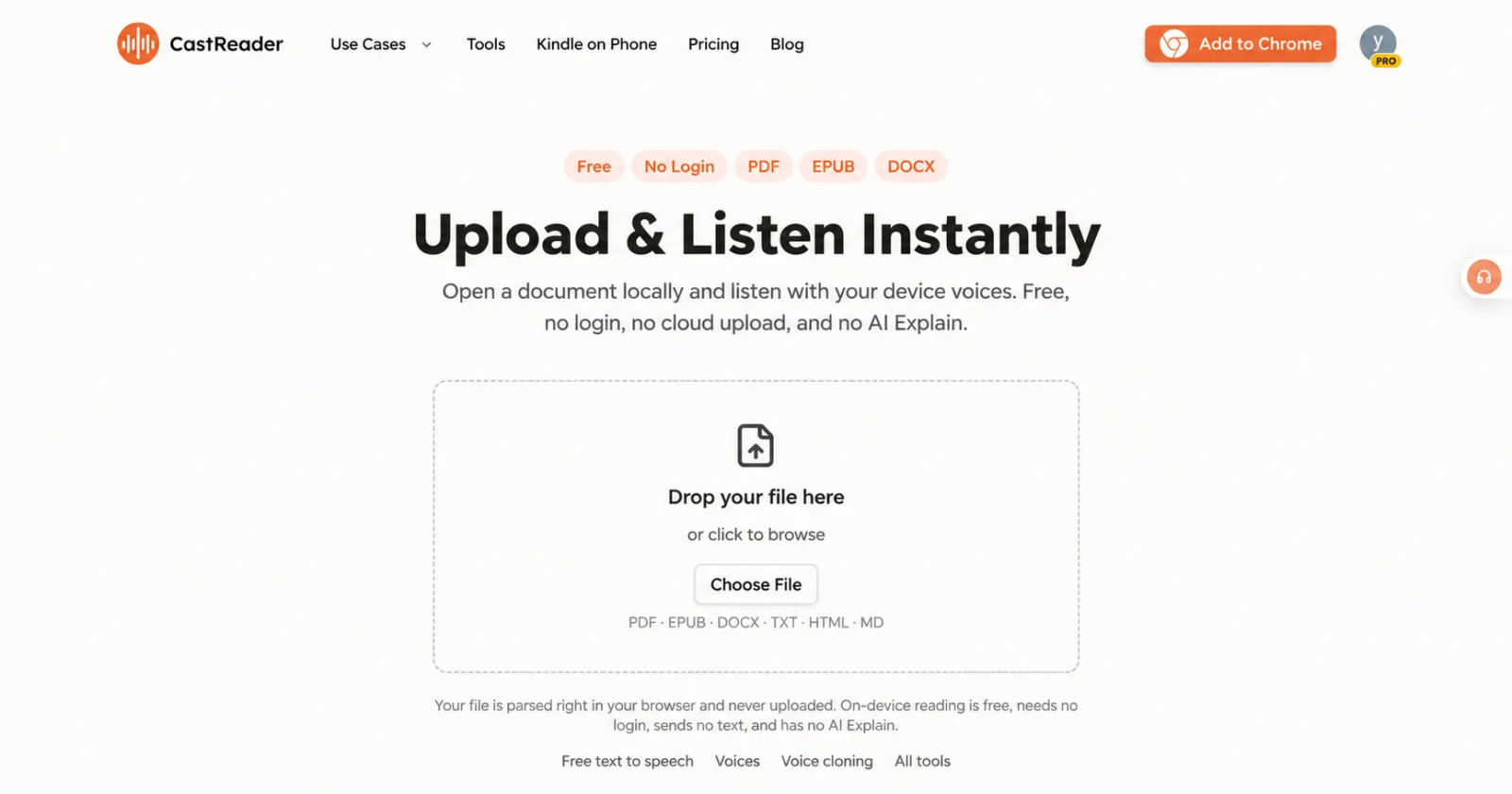
CastReader’s local document entry. This starting mode uses device voices; AI narration and Explain are separate options.
Check the first page while listening. On a two-column paper, confirm that the narration finishes one column before moving to the next. Watch for repeated headers, footnotes inserted into sentences, and reference lists that interrupt the argument. If the order is wrong, stop and choose a clearer text version or an available paragraph selection; changing the voice will not repair scrambled source text.
Set a pace that suits the paper
For a paragraph, almost any clear voice may do. For a long research paper, you want a voice you are happy to keep hearing. CastReader’s AI reading offers natural-sounding voices and adjustable playback speed, so you can choose a pace that suits the material instead of treating the fastest setting as the goal.
Text highlighting makes the experience more useful than audio alone. When you look back at the screen, you can see where the reading has reached. If you want to check the wording of a finding or return to a particular sentence, the original text is still part of the experience rather than something you have to locate in a separate file.
A practical option for regular readers
CastReader’s published AI Free plan includes 20 minutes of listening and three explanations per day. Pro is listed at US4.99amonthorUS35.99 a year, paid yearly, with more listening time, additional voices, and higher speed settings. Store and regional prices may differ. The separate local device-voice mode needs no account and does not include AI Explain.
Before committing to a long report, try a paragraph containing the names or technical terms that recur throughout it. Check their pronunciation against the text. Use a slower pace for unfamiliar terminology, and keep the source open for any number or quotation you need to use in your work.
Explanation is a separate option
CastReader Read & Explain can help with an individual passage. In the Web document tool, sign in, select an AI voice, and choose Explain for the current or selected paragraph. This route uses Standard depth and follows the document language. Listen to the explanation and compare its source marks with the original; it can miss context or misinterpret a finding.
Keep figures, formulas, and data tables available for visual inspection. Spoken prose can explain why a result matters, but it does not verify the result or convey every detail of a diagram. If a conclusion depends on an uncertainty range, a footnote or a comparison group, check that part of the paper directly.
Pick a PDF you already wanted to read
Open one paper or report you actually want to read. Choose a voice, listen to a few paragraphs, and adjust the pace. If the document includes a figure, pause and inspect it, then continue with the surrounding explanation. That is enough to find out whether listening suits this material.