
Ask any Arizona small business owner where the week goes and paperwork comes up fast: state filings, tax returns, new-hire forms, invoices, bids and receipts. None of it grows the business, but all of it has to be right. The good news is that most of the time lost to paperwork comes from a handful of fixable habits, not from the paperwork itself.
Here are nine practical ways to spend less time on documents, from state compliance to the everyday files that pile up on your desktop.
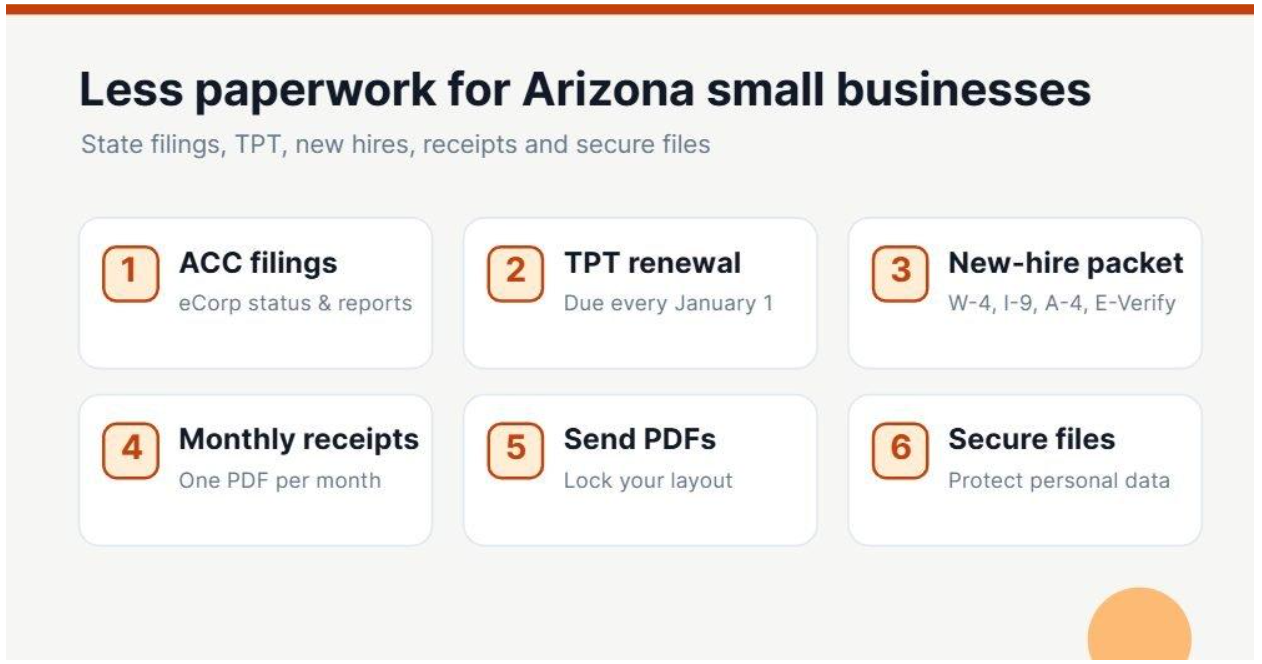
1. Keep your entity filings current through the ACC
Your relationship with the state starts at the Arizona Corporation Commission. Through the ACC’s eCorp system you can check your business’s status, update your statutory agent and file documents online instead of by mail.
Know which rules apply to you. Arizona corporations must file an annual report with the ACC, and missing it can put the company’s good standing at risk. Arizona LLCs don’t file annual reports, which surprises many owners, but they still need to keep their statutory agent and other details up to date. Put the relevant date in your calendar once and you won’t be scrambling to find a login or a form at the last minute.
2. File and renew your TPT license online
Arizona doesn’t have a traditional sales tax. Instead, businesses pay transaction privilege tax (TPT), administered by the Arizona Department of Revenue. Filing and paying TPT online through AZTaxes.gov is far faster than paper returns, and the site keeps a history of what you’ve filed.
One date catches people every year: TPT licenses must be renewed annually, with renewals due by January 1. Set a reminder for early December, renew online, and save the confirmation as a PDF in your tax folder so you can prove it later.
3. Build a new-hire packet once and reuse it
Hiring is document-heavy. A new employee in Arizona typically needs an offer letter, the federal W-4 and I-9, the Arizona A-4 withholding election and your own policies. Arizona also requires employers to verify new hires through E-Verify, which is easy to forget when you hire only occasionally.
Instead of hunting for forms each time, assemble a standard onboarding packet: one PDF with every form in the right order and a cover checklist on top. Update it once a year, and onboarding takes minutes rather than an afternoon.
4. Turn the receipt shoebox into one monthly PDF
Paper receipts fade, get lost and take hours to sort at tax time. Photograph or scan them as you go, then at the end of each month combine them into a single PDF named by month. Your bookkeeper gets one tidy file instead of dozens of loose images, and you have a clean record if the IRS ever asks. The IRS generally expects you to keep records that support your tax return for at least three years, and longer in some situations, so a consistent monthly file pays off.
5. Lock in your layout by sending PDFs, not Word files
Quotes, proposals and price lists sent as Word or Excel files can look different on every computer, and they can be edited after they leave your hands. Converting them to PDF before sending keeps your layout, fonts and numbers exactly as you intended and looks more professional.
You don’t need expensive software to do it. PDFVerge is a free set of online PDF tools that covers the everyday jobs: convert Word, Excel and PowerPoint files to PDF, merge receipts or onboarding forms into one file, compress large documents and turn photos into PDFs. It runs in the browser with no signup or watermark. For highly confidential files, stick to tools your business has formally approved.
DEEPER DIVE: TSMC Arizona’s thoughtful plan for managing water use
LEARN MORE: At TSMC Arizona, military veterans help power jobs of the future
6. Shrink files before you email or upload them
Large scanned contracts and image-heavy brochures often bounce off email size limits or fail to upload to procurement and bid portals, usually at the worst possible moment. Compressing a PDF before sending typically cuts its size dramatically while keeping it readable. Make it part of your routine for anything scanned, and you’ll avoid the last-minute rush before a bid deadline.
7. Name and file documents the same way every time
A consistent naming convention saves more time than any software. A simple pattern such as 2026-10_Invoice_ClientName.pdf or 2026_TPT_Renewal_Confirmation.pdf means files sort by date automatically and anyone on your team can find them. Pair it with a short list of top-level folders (Legal, Tax, HR, Clients, Suppliers) and resist the urge to create new ones for every project.
8. Protect sensitive documents
Payroll records, I-9s and customer data are attractive targets for criminals. Arizona, like every US state, has a data breach notification law, and a breach involving personal information can mean notifying customers and regulators, which costs far more than prevention.
A few habits go a long way: don’t send Social Security numbers or bank details by ordinary email, password-protect PDFs that contain personal information, limit who can open HR folders and turn on two-factor authentication for your email and cloud storage. Shred paper copies once they’re digitized and you no longer need them.
9. Use the free help Arizona offers
You don’t have to work out every rule alone. The Arizona Commerce Authority publishes guidance for starting and growing a business in the state, and the Arizona Small Business Development Center network offers free, confidential advising through partner colleges and universities around Arizona. A one-hour session on licensing, taxes or record-keeping can save many hours of guesswork.
Start with one change this month
You don’t need to fix everything at once. Pick the change that would save you the most time this month, whether that’s the monthly receipt PDF, a standard onboarding packet or a renewal reminder for your TPT license, and make it a habit before adding the next. Small, consistent systems are what keep a growing Arizona business organized when things get busy.
It also helps to review your paperwork routine once a year, ideally in the quiet weeks before the January TPT renewal. Check that your onboarding packet uses the latest versions of each form, delete duplicate folders, confirm who still needs access to sensitive files and archive last year’s records in one place. An hour spent on that review usually saves several hours of searching, re-sending and re-signing in the year ahead, and it means you start every year with a clean, organized system.