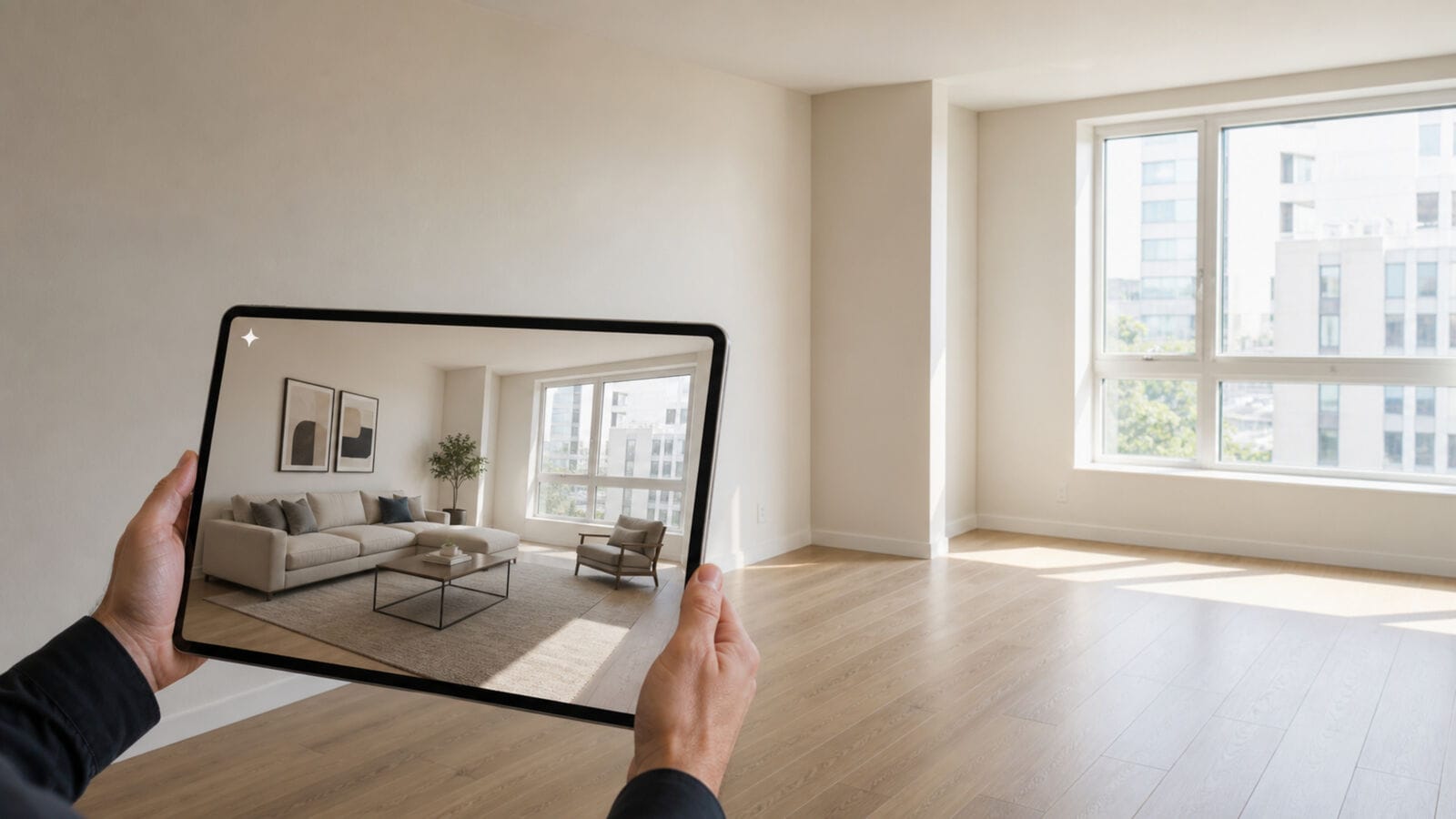
Virtual staging can help a buyer understand how an empty room might function, but the altered photograph cannot quietly replace the room that was actually photographed. For an ARMLS listing, the working file, the original image, the disclosure setting and their order in Flexmls all matter.
ARMLS Rule 8.23 permits digitally altered media when the required disclosure is made. It does not amount to a ban on virtual staging, and it does not apply automatically to every MLS in Arizona. The rule took effect on May 28, 2026. ARMLS announced an education and fine-abatement period from June through November 2026, followed by enforcement beginning in December 2026 with a $200 fine.
The ARMLS rule in plain English
ARMLS treats media as digitally altered when software or artificial intelligence adds, removes or significantly changes content in an image. For a digitally altered photograph in Flexmls, select the “Digitally Altered” disclosure and place the original, unaltered photograph immediately before or immediately after the altered version.
An additional ARMLS-approved “Digitally Altered” watermark is optional on a photograph. The older “Virtually Staged” watermark does not satisfy the current rule. Updating a team’s old watermark file without changing the Flexmls workflow is therefore not enough.
This article describes ARMLS requirements, not a statewide rule for every Arizona listing service. Brokerage policies, advertising standards and another MLS’s instructions may add different obligations. Rules and interface labels can also change. Check the current ARMLS and Flexmls instructions before upload, especially if a listing will go live after the published transition period.
What is mandatory and what is our stricter review gate
For this workflow, the acceptable edit adds removable furnishings and decor to a duplicate of an empty-room photograph. It may place a sofa, rug, table, lamps or art without changing the photographed room. The review rejects changes to:
- windows, walls, doors, openings or room dimensions;
- built-in cabinets, counters, flooring or permanent fixtures;
- stains, cracks, damage or other visible condition;
- views, power lines, neighboring structures or exterior surroundings;
- light sources in a way that suggests a feature the room does not have.
That list is a conservative editorial gate, not a claim that ARMLS Rule 8.23 expressly bans every item on it. It helps a brokerage avoid turning “digitally altered and disclosed” into “materially misleading.” A broker may set a stricter gate, and a doubtful edit should be held for review rather than rationalized after upload.
Build a furnishing-only duplicate
Begin with the listing photographer’s full-resolution original. Store it as an immutable master and create a duplicate for alteration. Do not crop, brighten or overwrite the only copy before the pair has been recorded. The original shown beside the staged version should genuinely represent the image before digital staging.
Give the files a shared identifier, for example:
- living-room-01-original.jpg
- living-room-01-altered.jpg
Write the edit request as an instruction about contents, not architecture. A restrained prompt might say:
Add a proportionate sofa, one armchair, a low coffee table, a neutral rug and two table lamps to this empty living room. Preserve the exact walls, windows, doors, floor, built-in fixtures, camera position and outdoor view. Add no text, signs, people or structural features.
Submit the duplicate—not the archived original—through reAPI using the current Nano Banana image-edit route, then save the returned task ID with the source pair. If a team calls another option “Grok Image”, confirm the current route first; the current model name may be shown as Grok Imagine Image 2.0, and availability or editing behavior should not be assumed from a nickname.
Model selection does not establish compliance. The listing team remains responsible for comparing the output to the property, rejecting misleading changes and completing the ARMLS disclosure.
Review the altered image against the original
Place the two files side by side at the same zoom. Do not approve the result from a thumbnail. Start with the room envelope: trace every wall, opening, window edge, door, ceiling line and floor transition. Then inspect fixtures, outlets, vents, handles and exterior details through the glass.
Next, assess the furniture. Scale should make physical sense. A sofa that would block a doorway, a dining table that cannot fit between walls or a bed that hides a defect undermines the purpose of staging. The edit should illustrate one plausible use of the space, not enlarge it by visual suggestion.
A simple approval sheet can record:
- property and room identifier;
- original and altered filenames;
- model route and task ID;
- prompt or edit instruction;
- reviewer and review date;
- result: approved, revised or rejected;
- required photo, video or tour disclosure route.
Pair and disclose the photographs correctly
Once the altered still passes review, keep it beside its original in the upload set. In Flexmls, mark the altered photograph with the “Digitally Altered” disclosure. Place the original immediately before or after it. Do not separate the pair with several other room photographs and expect a viewer to find the comparison.
If an approved ARMLS “Digitally Altered” watermark is added to the photo, treat it as an extra visual cue. It is optional for the still-photo workflow and does not replace the Flexmls disclosure and adjacent original. Do not reuse a legacy “Virtually Staged” watermark as though it meets the current wording.
Handle video and virtual tours separately
An altered still may later become a slow pan, room transition or short social clip. That creates moving media with its own ARMLS disclosure requirement. For a listing video or virtual tour, use the ARMLS-approved “Digitally Altered” watermark or include “Digitally Altered” in the description.
Only after the still pair has cleared the furnishing-only gate, make a short, text-free movement proof in ClipDance. Keep the walls, windows, view and staged furniture stable. Before the result is attached to a listing, choose and apply the current approved video/tour disclosure method. Text-free generation keeps accidental labels out of the scene; it does not mean the final tour can omit disclosure.
Keep an approval record through the listing lifecycle
Give one person responsibility for the media manifest. That person should be able to answer which source produced an altered image, who reviewed it, which disclosure route applies and where the adjacent original appears in the live gallery. A folder full of final files cannot answer those questions on its own.
Before publication, use a four-part check:
- Truth check: Does the altered media retain the room’s photographed structure, condition and view under the team’s acceptance gate?
- Pair check: Is the exact unaltered source immediately before or after the altered photo?
- Disclosure check: Is “Digitally Altered” selected in Flexmls for the photo, and is the correct method used for any video or tour?
- Live check: Did the final order and disclosure remain intact after the listing was saved?
Questions Arizona listing teams should settle
Does Rule 8.23 govern every MLS in Arizona?
No. It is an ARMLS rule. Check the requirements of the MLS receiving the listing rather than treating one organization’s process as statewide policy.
Is a watermark required on an altered photo?
For photos, the Flexmls “Digitally Altered” disclosure and the immediately adjacent original are the required parts described by ARMLS. An approved additional watermark is optional. The old “Virtually Staged” watermark is not compliant with the current rule.
What is required for a virtual tour or listing video?
Use either the ARMLS-approved “Digitally Altered” watermark or include “Digitally Altered” in the description. Confirm the current approved wording and instructions before the media goes live.
Does disclosure make a structural or condition change acceptable?
Disclosure and editorial accuracy are separate questions. Rule 8.23 permits disclosed alteration; this workflow rejects changes to structure, dimensions, condition and views. Escalate uncertain cases to the broker and ARMLS rather than treating the label as blanket permission.
When does the $200 fine begin?
ARMLS set the rule’s implementation date as May 28, 2026, with education and fine abatement from June through November 2026. The stated $200 enforcement fine begins in December 2026. Verify the current enforcement notice when preparing a live listing.
Keep the original beside every altered version
The safest virtual-staging file is not a beautiful render on its own. It is a controlled pair: one unaltered record of the room and one clearly disclosed furnishing concept that has passed a careful comparison. Preserve that pair through generation, review, upload and later listing changes. The discipline makes the disclosure easier to apply and the staged room easier for buyers, agents and brokers to understand.