
Introduction
GPT Image 2 has fundamentally changed what’s possible in AI-powered visual creation — delivering photorealistic outputs, nuanced prompt understanding, and unprecedented creative control. But with a growing ecosystem of platforms built around this technology, choosing the right tool isn’t just about features. It’s about finding the best return on every dollar you spend.
This guide ranks 9 GPT Image 2 platforms by value for money, breaking down their pricing models, core capabilities, and real-world trade-offs. Whether you’re a solo creator who generates images occasionally, or a professional team running high-volume production workflows, understanding the difference between pay-as-you-go and subscription models — and knowing which one fits your usage pattern — can save you significant time and money.
Website List
1. ChatImage
What is ChatImage
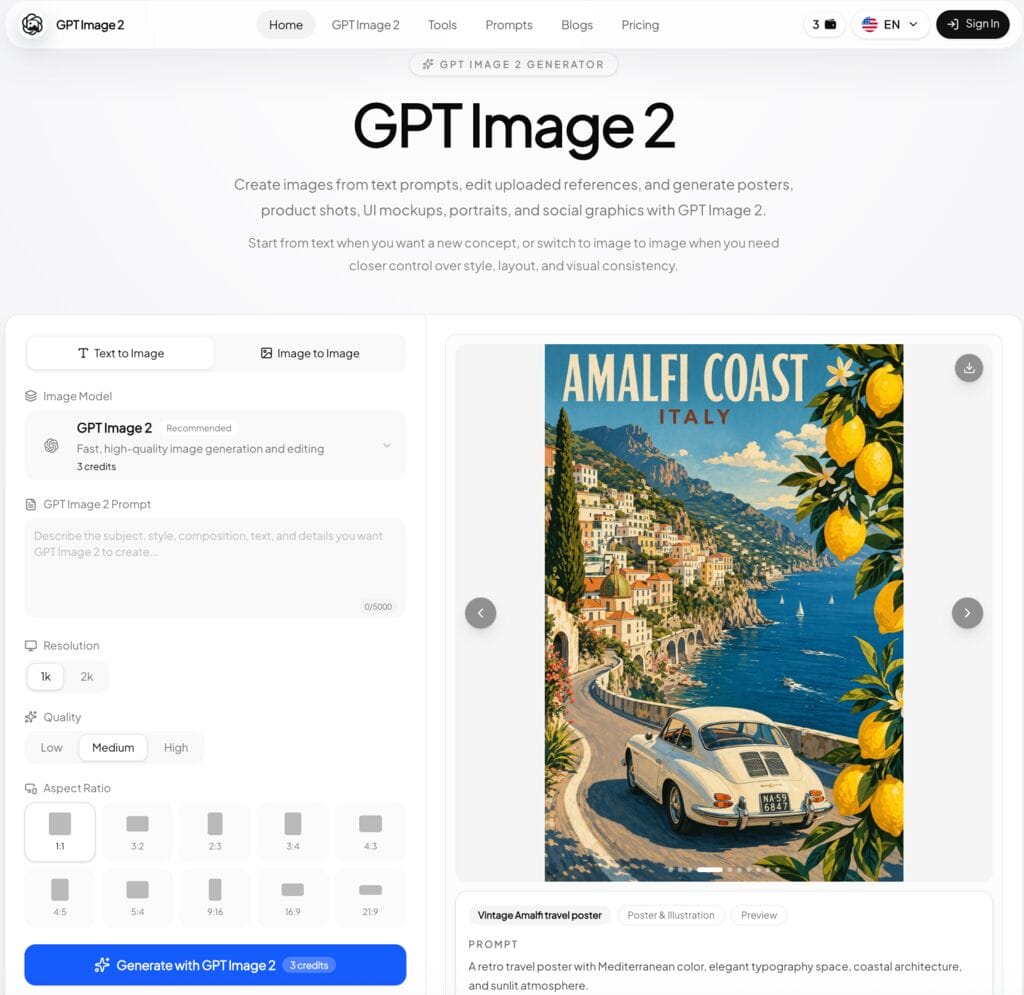
ChatImage is an AI image generation platform powered by GPT Image 2, built for designers, marketers, and content creators who need high-quality visuals fast. From social media graphics and product shots to UI mockups and advertising creatives, ChatImage converts text prompts or existing images into polished outputs with minimal effort. Its straightforward interface makes it accessible to beginners, while its resolution controls and editing modes give professionals the flexibility they need. Beyond image generation, ChatImage also offers ready-to-use AI-powered smart templates — including the AI Palm Reading Tool, which lets you upload a photo of your palm and instantly receive a detailed, AI-generated reading with zero setup required. It’s just one example of the many plug-and-play intelligent templates available on ChatImage, designed so you can go from idea to insight in seconds.
Features
- GPT Image 2-powered text-to-image and image-to-image generation
- Advanced editing capabilities with seamless switching between generation modes
- Intuitive interface supporting diverse output types: ads, posters, social media posts, and more
- Adjustable resolution and aspect ratios to suit different platform requirements
- Watermark-free HD downloads available on paid plans
Pros and Cons
Pros:
- High-definition image generation with both text and image inputs
- Versatile use cases spanning marketing, product, and social content
- Flexible resolution and aspect ratio controls
- Pay-as-you-go friendly — credits can be used on demand without committing to a subscription
Cons:
- Free plan limits usage to 3 trial credits
- Some advanced features carry a learning curve for new users
- Limited offline capabilities
Price
- Free Plan: $0/month — 3 trial credits; text-to-image generation, reference image upload, generation history, community support
- Basic Plan: $14.9/month (billed annually at $178.8/year) — 300 credits/month × 12 months = 3,600 credits total; commercial-ready downloads, email support; 25% annual saving
- Professional Plan: $29.9/month (billed annually at $358.8/year) — 650 credits/month × 12 months = 7,800 credits total; priority support, prompt and reference history; 25% annual saving (Most Popular)
- Enterprise Plan: $199.9/month (billed annually at $2,398.8/year) — 5,000 credits/month × 12 months = 60,000 credits total; team production workflow, custom usage guidance, dedicated support; 33% annual saving
2. OpenRouter
What is OpenRouter
OpenRouter is a unified AI model routing platform that connects users and developers to a wide range of large language and multimodal models — including those capable of GPT Image 2-level image generation — through a single, standardized API. Its purpose is to simplify AI integration by abstracting away the complexity of managing multiple provider relationships, making it easier to switch between models, compare outputs, and optimize for cost or quality depending on the task.
Features
- Multimodal support across text, image, and audio generation models
- Smart model routing to maximize provider selection and improve response accuracy
- Simple API references and client SDKs for rapid integration
- Powerful response caching and structured outputs to enhance performance and reliability
- Flexible workspace configuration options for specific workflow requirements
Pros and Cons
Pros:
- Single API access to multiple AI models reduces integration overhead
- Transparent token-based pricing enables precise cost control
- Suitable for developers building multi-model or hybrid AI applications
- Response caching helps reduce redundant API costs
Cons:
- Token-based pricing can be complex to estimate for image-heavy workflows
- No consumer-facing visual interface — developer tool only
- Image output pricing is notably higher than text-based operations
Price
OpenRouter routes GPT Image 2 (GPT-5.4 Image 2) requests to the best available providers (currently via OpenAI) on a pure pay-as-you-go basis. No subscription required.
- Input Price: $8/1M tokens
- Output Price: $15/1M tokens
- Cache Read: $2/1M tokens
- Image Output: $30/1M tokens
- Provider (OpenAI): Latency 0.48s, throughput 35 tps, high uptime
- Enterprise: Contact sales for custom pricing and dedicated solutions
3. fal
What is fal
fal is a developer-focused AI inference platform that provides API access to a wide range of image generation models, including GPT Image 2. It is designed for teams and individuals who want fine-grained control over model selection and prefer to pay only for what they use. Rather than locking users into monthly subscription bundles, fal operates on a transparent per-token pricing model, making it one of the most cost-efficient options for variable or unpredictable workloads.
Features
- API-first architecture for easy integration into existing development workflows
- Access to multiple AI image generation models from a single platform
- Granular quality tiers allowing cost optimization per use case
- Real-time inference with low-latency outputs
- Detailed usage tracking and billing transparency
Pros and Cons
Pros:
- Pure pay-as-you-go pricing — no wasted spend on unused monthly credits
- Highly flexible model selection for developers
- Transparent, usage-based billing with no hidden fees
- Suitable for both low-volume experiments and high-volume production
Cons:
- Less beginner-friendly compared to consumer-facing platforms
- No built-in visual editor or design interface
- Requires technical knowledge to fully leverage API capabilities
Price
fal operates on a pure pay-as-you-go token model — no monthly subscription required. GPT Image 2 image output is priced at $30 per 1M tokens. Text token pricing: $5.00/1M input, $1.25/1M cached, $10.00/1M output. Image token pricing: $8.00/1M input, $2.00/1M cached, $30.00/1M output. Note: the quality parameter significantly affects cost; high quality is used by default.
4. Replicate
What is Replicate
Replicate is a cloud-based platform for running and sharing machine learning models, providing developers and researchers with straightforward API access to a vast library of AI models — including image generation models powered by GPT Image 2. Its core value proposition is removing deployment complexity: users can run state-of-the-art models through a simple API call without managing infrastructure. Replicate is particularly well-suited to developers who want maximum flexibility and prefer paying only for actual compute usage.
Features
- Simple, developer-friendly interface with fast onboarding
- Real-time analytics and usage reporting for cost monitoring
- Scalable infrastructure that adapts to fluctuating workload demands
- Strong collaboration tools for team-based model experimentation
- Extensive documentation and an active developer community
Pros and Cons
Pros:
- Pay-as-you-go model eliminates waste from unused subscription credits
- Access to a broad library of open and proprietary AI models
- Highly flexible for developers building custom image generation pipelines
- Transparent per-image pricing makes cost forecasting straightforward
Cons:
- Less suitable for non-technical users who need a visual editor
- No built-in design or editing interface
- Costs can escalate unpredictably with high-volume usage if not monitored
Price
Replicate charges per output image on a pure pay-as-you-go basis for GPT Image 2 generation. No monthly subscription required.
- Auto (default): $0.128/output image (~78 images for $10)
- Low quality: $0.012/output image (~83 images for $1)
- Medium quality: $0.047/output image (~21 images for $1)
- High quality: $0.128/output image (~78 images for $10)
5. Higgsfield
What is Higgsfield
Higgsfield is an AI-powered creative platform focused on video and image generation, offering tools tailored for content creators, social media professionals, and marketing teams. It combines generative AI capabilities with an accessible interface, enabling users to produce compelling visual content without deep technical expertise. Higgsfield positions itself as a production-ready solution for creators who need consistent, high-quality output at scale.
Features
- Advanced AI models with continuous performance improvements
- User-friendly interface designed for creators at all experience levels
- Real-time collaboration tools for team-based project workflows
- Comprehensive data visualization and content performance insights
- Cross-device accessibility across desktop, tablet, and mobile
Pros and Cons
Pros:
- Polished interface suitable for non-technical users
- Strong collaboration features for team environments
- Regular model updates with improving output quality
- Flexible plan tiers for different usage volumes
Cons:
- Credit-based subscription model — unused credits may not roll over to the next month
- Higher tiers represent a significant monthly commitment
- Limited pay-as-you-go flexibility compared to API-first platforms
Price
All prices shown are billed annually (30% off vs. monthly).
- Starter Plan: $15/month (billed annually) — 200 credits/month; up to 2 parallel video generations, 4 parallel image generations; access to selected models only
- Plus Plan: $39/month (billed annually, was $49) — 1,000 credits/month; access to all models; up to 6 parallel video, 8 parallel image generations; GPT Image included (365-day unlimited) (20% off)
- Ultra Plan: $99/month (billed annually, was $129) — 3,000 credits/month (slider up to 9,000); access to all models; lowest cost per credit; one 365-day unlimited video model; GPT Image included (365-day unlimited) (Most Popular, 23% off)
- Business Plan: $62/seat/month (billed annually, was $89) — 3,000 credits total/month (~1,500 credits/seat); 2–15 members in shared workspace; shared credit pool; up to 16 parallel video/image generations; GPT Image included (365-day unlimited); priority support (Best Value, 30% off)
6. Lovart
What is Lovart
Lovart is an AI-enhanced design platform that bridges generative AI capabilities with practical creative workflows, providing designers, marketers, and brand teams with tools to produce polished visual assets efficiently. Beyond generation, Lovart emphasizes editability and brand consistency — offering brand kit management, concurrent task handling, and commercial licensing as part of its paid plans. Its blog and resource hub also keep users informed about the latest developments in AI-assisted design.
Features
- AI-powered design generation with full post-generation editability
- Curated design trend resources and expert thought leadership content
- Intuitive navigation interface designed to reduce creative friction
- Brand kit management for consistent visual identity across projects
- Flexible asset management with easy access to AI-generated and uploaded content
Pros and Cons
Pros:
- Editable AI-generated designs offer more creative control than generation-only tools
- Strong brand kit features make it valuable for marketing and brand teams
- Commercial licensing included in all paid plans
- GPT Image 2 fast generation access included from the Basic plan upward
Cons:
- Subscription-based credit model — confirm whether unused credits roll over monthly
- Higher plans required to unlock more concurrent tasks and brand kits
- Pro and Ultimate annual billing locks in a multi-year cost commitment
Price
All prices shown are billed annually (up to 45% off vs. monthly).
- Starter Plan: $16/month (was $19, billed annually at $192/year, save $36) — 2,000 credits/month; 100 refresh credits/day; 2 concurrent tasks; 5 brand kits; commercial license; access to all image & video models; standard credit refill pricing
- Basic Plan: $27/month (was $32, billed annually at $324/year, save $60) — 3,500 credits/month; 100 refresh credits/day; 4 concurrent tasks; 10 brand kits; commercial license; GPT Image 2: 7-day free fast generations (Flash); unlimited Relax Gens for select models (incl. GPT Image 2 Low 1k, Text to Image, Nano Banana Pro & 2 1k)
- Pro Plan: $50/month (was $90, billed annually at $600 first year then $888/year, save $480) — 11,000 credits/month; 100 refresh credits/day; 8 concurrent tasks; 30 brand kits; commercial license; 10% off credit refills; GPT Image 2: 14-day free fast generations (Flash); unlimited Relax Gens for expanded range (incl. GPT Image 2 Medium 1k, Text to Image, Nano Banana Pro & 2 2k, Kling O1) (Most Popular, 44% off)
- Ultimate Plan: $109/month (was $199, billed annually at $1,308 first year then $1,992/year, save $1,080) — 27,000 credits/month; 100 refresh credits/day; 10 concurrent tasks; 100 brand kits; commercial license; 10% off credit refills; GPT Image 2: 31-day free fast generations (Flash); unlimited Relax Gens for broadest range (incl. GPT Image 2 Medium 2k, Text to Image, Nano Banana Pro & 2 4k, Kling O1, Seedance 1.5 Pro) (45% off)
7. OpenArt
What is OpenArt
OpenArt is a versatile AI art generation platform that gives creators access to a broad range of generative models, including support for GPT Image 2 outputs. Designed with both artists and commercial creators in mind, OpenArt combines image generation with discovery features — allowing users to explore community-created work for inspiration while building their own. Its workflow automation and integration capabilities make it a practical choice for teams embedding AI into their creative pipelines.
Features
- Multi-model AI image generation with workflow automation tools
- Customizable dashboards with creative project insights
- Data encryption and secure asset management
- Streamlined onboarding for quick team adoption
- Integration support with popular design and productivity software
Pros and Cons
Pros:
- Access to a wide selection of AI models in one platform
- Strong community features for creative inspiration
- Suitable for both individual creators and small teams
- Per-seat pricing scales predictably for growing teams
Cons:
- Subscription plans require commitment — check whether unused credits carry over monthly
- Feature depth may overwhelm new users initially
- Wonder plan represents a significant per-seat investment for smaller teams
Price
All prices are per seat/month. Plans include monthly credit allowances with the option to add credits as needed.
- Essential Plan: $7/seat/month (was $14) — 4,000 credits/month; up to ~4,000 images, ~50 videos, ~13 consistent characters; up to ~5 One-Click Stories; ~13 personalized models; 8 parallel generations; access to 100+ premium image, video, and audio models; powerful image editing suite
- Advanced Plan: $14.5/seat/month (was $29) — 12,000 credits/month + add credits as needed; up to ~12,000 images, ~150 videos, ~40 consistent characters; up to ~17 One-Click Stories; ~40 personalized models; 16 parallel generations; commercial use rights
- Infinite Plan: $28/seat/month (was $56) — 24,000 credits/month + add credits as needed; up to ~24,000 images, ~300 videos, ~80 consistent characters; up to ~34 One-Click Stories; ~80 personalized models; 32 parallel generations; priority support; commercial use rights (Most Popular)
- Wonder Plan: $120/seat/month (was $240) — 106,000 credits/month + add credits as needed; up to ~106,000 images, ~1,300 videos, ~353 consistent characters; up to ~150 One-Click Stories; ~353 personalized models; 32 parallel generations; unlimited creation; 10% off credit packs; priority support; commercial use rights (Best Value)
8. LitMedia
What is LitMedia
LitMedia is a multimodal AI content generation platform designed for creators who work across video, image, and audio formats simultaneously. Rather than focusing on a single output type, LitMedia consolidates multiple generative capabilities into one subscription, making it an appealing option for content teams and solo creators who need diverse media outputs without juggling multiple tools. Its tiered credit system is structured around bundled allowances across all three media types.
Features
- AI generation across video, image, and audio from a unified platform
- Clean, accessible dashboard suitable for creators at any skill level
- Easy sharing and export options for cross-team collaboration
- In-depth usage metrics for informed content planning decisions
- Cross-device accessibility for flexible, location-independent creation
Pros and Cons
Pros:
- Multi-format generation (video, image, audio) under one subscription reduces tool sprawl
- Smooth, accessible interface for non-technical creators
- Strong security and data protection features
- Lifetime plan offers an unusually cost-effective option for long-term users with GPT Image 2 access included
Cons:
- Credit bundles are split across media types — unused image credits don’t transfer to video
- Limited functionality without an internet connection
- Subscription credits may not roll over — check plan terms before committing
Price
- Free Tier: Up to 600 credits/month — 30 videos, 85 images, 30 songs
- 1-Month Plan: $14.99/month (billed monthly) — up to 600 credits/month; 30 videos, 85 images, 30 songs; commercial use allowed; 35% off
- 1-Year Plan: $7.50/month (billed annually at $89.99) — up to 1,000 credits/month; 50 videos, 142 images, 50 songs; commercial use allowed; 60% off
- Lifetime Plan: One-time payment of $125.97 — GPT Image 2 included (7-day unlimited, limited time offer); 2,000 credits/month base + first purchase bonus of 1,000 credits; up to 100 videos, 285 images, 100 songs/month; 1-on-1 24-hour dedicated customer service; 3 custom private templates/month; 75% off
9. Imagine.art
What is Imagine.art
Imagine.art is an AI-powered creative platform built to make digital art generation accessible to everyone — from professional designers and illustrators to hobbyists exploring generative tools for the first time. It emphasizes community and collaboration, enabling users to share work, explore styles, and co-create within an active ecosystem. With a generous credit structure and multiple plan tiers, it offers entry points for casual users as well as serious creators.
Features
- AI image generation with predictive style and prompt assistance
- Intuitive creator interface designed for a seamless production experience
- Scalable plans that grow alongside individual and team requirements
- Secure data handling with regular backups and authentication features
- Comprehensive onboarding resources and ongoing support documentation
Pros and Cons
Pros:
- Generous credit allowances make it accessible for casual exploration
- Vibrant community features encourage creative collaboration
- Multiple plan tiers accommodate a wide range of usage volumes
- Easy to get started without technical background
Cons:
- Subscription model — verify whether monthly credits roll over if unused
- Advanced customization options are limited compared to API-first platforms
- Higher-tier plans required for commercial use cases and priority outputs
Price
All prices shown are billed yearly (30% off). Individual plans:
- Basic Plan: $9/month (billed yearly) — 3K credits/month; up to ~600 image generations/month, ~97 video generations/month; 4 concurrent image generations, 2 concurrent video generations; complimentary access to all GPT, Gemini, and Claude models; general commercial terms
- Standard Plan: $20/month (billed yearly) — 8K credits/month; up to ~1.6K image generations/month, ~265 video generations/month; 8 concurrent image generations, 3 concurrent video generations; up to 5 Personalize Elements; 3 users included
- Ultimate Plan: $34/month (billed yearly) — 16K credits/month; up to ~3.2K image generations/month, ~530 video generations/month; ImagineArt 2.0 unlimited; 12 concurrent image generations, 4 concurrent video generations; up to 30 Personalize Elements; Seedance 2.0 pro-tier video generation; 6 users included (Most Popular)
- Creator Plan: $175/month (billed yearly) — 100K credits/month; up to ~20K image generations/month, ~3.4K video generations/month; ImagineArt 2.0 + 1.5 PRO unlimited; 16 concurrent image generations, 5 concurrent video generations; up to 20 users included; Seedance 2.0 pro-tier video generation (Special Offer, 50% off)
Key Takeaways
Choosing the right GPT Image 2 platform comes down to understanding your actual usage patterns — and matching them to the right pricing model.
- Pay-as-you-go platforms like ChatImage, fal, and Replicate are ideal if your image generation needs are irregular or unpredictable. You pay only for what you use, with no risk of wasting credits you never get through. ChatImage, in particular, offers a transparent credit structure that makes it easy to scale spend up or down based on project volume — making it one of the most accessible entry points for anyone exploring GPT Image 2 without committing to a fixed monthly plan.
- Subscription platforms offer better per-image value at high volume — but they come with a critical caveat: always check whether unused credits roll over to the next billing cycle. Platforms like Higgsfield, OpenArt, Imagine.art, Lovart, and LitMedia operate on monthly credit allotments, and unused credits on these platforms typically expire at the end of each period. If you’re committing to a subscription, make sure your actual monthly usage justifies the plan tier you’re paying for.
- For developers building integrated workflows, API-first platforms like fal, Replicate, and OpenRouter provide the most flexibility — but require technical capability to unlock their full value. All three operate on pure pay-as-you-go models, meaning you only pay for what you actually generate.
- When choosing between pay-as-you-go and subscription, consider your average monthly generation volume. If you consistently hit the upper limits of a subscription plan’s credit allowance, the per-image cost of a subscription will almost always beat pay-as-you-go rates. If your usage is inconsistent — busy one month, quiet the next — pay-as-you-go prevents you from subsidizing months where you barely generate anything.
- Integration with existing design tools and workflows can significantly boost productivity; evaluate how well each platform connects with the software you already use.
- Platform longevity and active development matter: regular model updates and a visible product roadmap indicate a platform worth investing time in learning.
- Community resources and documentation quality can make or break your experience, especially when exploring advanced features or troubleshooting edge cases.
Conclusion
The GPT Image 2 ecosystem in 2026 offers more capable — and more competitively priced — tools than ever before. But capability alone isn’t the deciding factor. The right platform is the one whose pricing model aligns with how you actually work.
If your image generation volume is sporadic or project-driven, lean toward pay-as-you-go platforms to avoid paying for credits you won’t use. ChatImage is a strong starting point here, offering GPT Image 2-powered generation with a flexible credit structure that scales naturally with your workload — and a growing library of ready-to-use intelligent templates, like its AI Palm Reading tool, that let you tap into GPT Image 2’s capabilities without any setup. If you generate images at consistent, high volume, a subscription plan may deliver better per-image economics — just make sure to verify the credit rollover policy before committing, as expiring monthly credits can quietly erode the value of any subscription tier.
Take advantage of free tiers and trial periods to test output quality with your specific use cases before making a financial commitment. The best GPT Image 2 tool is ultimately the one that fits your creative process, your budget, and the way your workload actually behaves — not just the one with the longest feature list.