Black Friday is hands-down the best time of year to invest in a laser machine—whether you’re a hobby crafter ready to upgrade, a small business owner looking to boost production, or an educator building a creative classroom. With deep discounts rolling out across CO₂, fiber, and diode laser machines, it’s the perfect opportunity to get more power and features without stretching your budget.
But with so many choices (and so many “too good to be true” deals), how do you make sure you’re getting the right machine? This guide walks you through everything you should consider before hitting that checkout button.
Identify Your Needs Before Browsing Deals
Before you dive into the Black Friday excitement, take a moment to clarify what you actually need. A bit of planning now saves you from buying a machine that doesn’t fit your work.
Here’s what to think about:
∙ Your main projects: Are you engraving wood signs? Cutting acrylic panels? Marking metal tags?
∙ The materials you use most: CO₂ lasers excel on wood, acrylic, leather, and fabric. Fiber lasers shine on metals.
∙ Your workspace: Do you have room for a desktop machine? Do you need a venting setup or enclosure?
∙ Your workload: Hobby use is different from daily business production. If you’re planning to sell, consider a more powerful model with room to grow.
Having a clear picture of your needs makes it easier to filter out distractions once the deals start dropping.
Understand the Different Types of Laser Machines
Not all lasers are created equal. Each type is built for specific materials and tasks, so picking the wrong one can hold you back.
CO₂ Laser Machines
These are the go-to choice for most crafters, small businesses, and schools. They’re ideal for cutting and engraving materials like wood, acrylic, leather, fabric, rubber, and more.
If you’re planning to customize tumblers, create signage, or launch a craft business, a CO₂ laser (like the OMTech 40W–100W range) fits beautifully.
Fiber Laser Machines
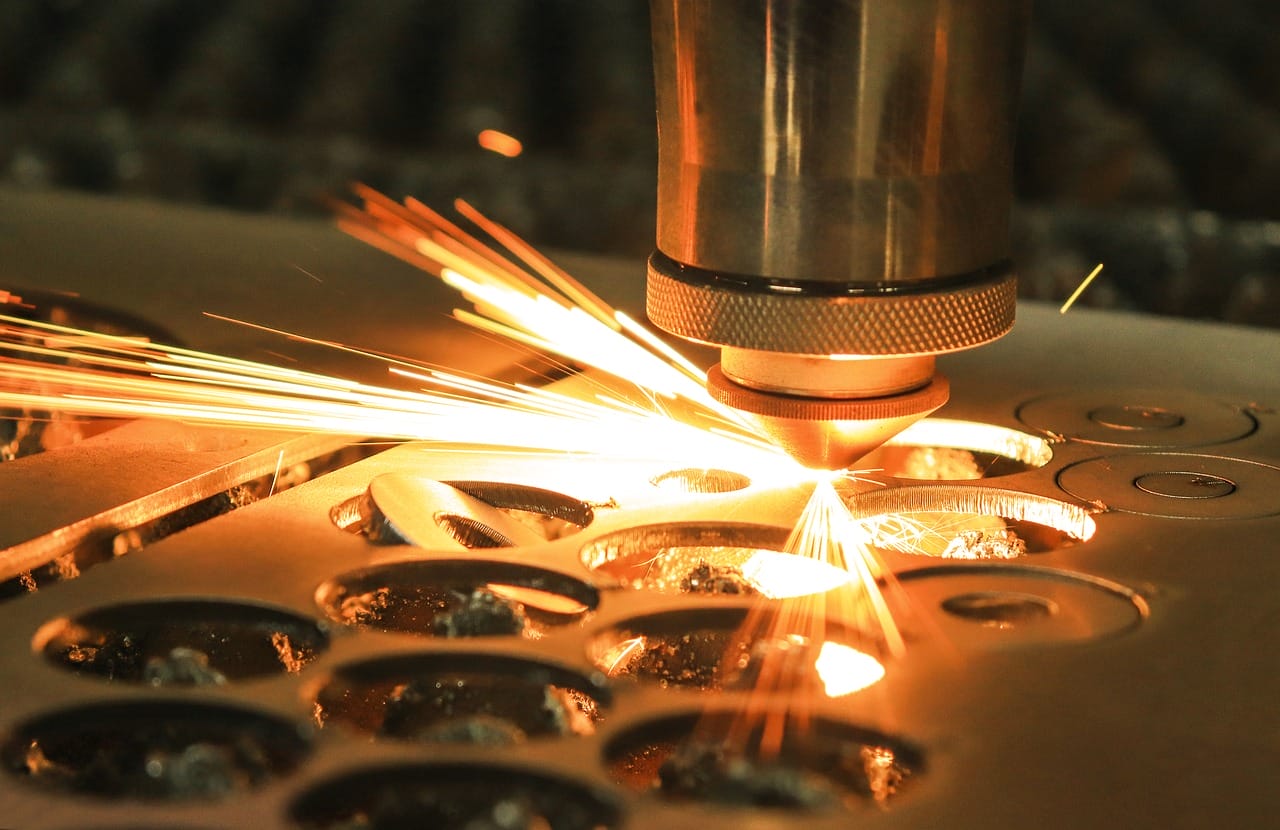
Fibre laser machines specialize in metal engraving and marking. They can’t cut wood or acrylic the way CO₂ lasers can, but they’re unbeatable for stainless steel jewelry, serial numbers, barcodes, gold, aluminum, and industrial applications.
If you’re in jewelry, metalworking, industrial production, or custom branding, a fiber laser is the right investment.
Diode Laser Machines
These are great for beginners. Diode lasers offer a cost-friendly entry point but are limited in power and material versatility. They’re fine for light engraving but not ideal for thicker materials.
A simple rule:
Wood & acrylic → CO₂
Metal → Fiber
Budget beginner → Diode
Key Specifications to Look For During Black Friday
Once you know the type of machine you need, focus on the specs that actually matter:
∙ Laser power:
o CO₂ lasers: 40W–150W
o Fiber lasers: 20W–50W for small business use
∙ Work area size: Larger beds save time and open up bigger project possibilities.
∙ Engraving & cutting speed: Essential for businesses running production batches.
∙ Cooling system: CO₂ lasers require proper cooling—look for machines with integrated or compatible chillers.
∙ Autofocus & red dot pointer: Huge time-savers for daily use.
∙ Software compatibility: Check whether it works with LightBurn, RDWorks, or EZCad.
∙ Safety features: Enclosures, door sensors, proper ventilation, flame-resistant materials.
These specs tell you far more about a machine’s real-world performance than flashy marketing.
Evaluate Brands and Product Reliability
Black Friday always brings a wave of ultra-cheap listings—but not all deals are created equal. Saving money upfront doesn’t help if the machine fails or has no support.
Here’s how to spot a trustworthy brand:
∙ Responsive customer service
∙ Readily available replacement parts
∙ Solid warranty coverage
∙ Transparent manuals and setup guides
∙ Large communities and tutorials
∙ Real certifications like FDA, CE, and laser safety features
Brands like OMTech, Thunder, and Glowforge consistently earn trust because they offer real support and reliable machines. With OMTech in particular, many users appreciate the balance of affordability and professional-grade performance—especially during Black Friday sales.
Compare Black Friday Discounts Strategically
A smart shopper looks beyond the “50% OFF!!” banner. Here’s how to shop with clarity:
∙ Look at pre-sale pricing so you can spot real vs. inflated discounts.
∙ Check for bundles—rotary attachments, honeycomb tables, and air assistants often cost more when purchased separately.
∙ Read the return policy—holiday seasons can bring longer processing times.
∙ Compare shipping times so your machine arrives before your holiday projects begin.
∙ Track multiple brands using a simple spreadsheet to compare power, work area, warranty, and price.
A little prep pays off big on Black Friday morning.
Don’t Overlook Accessories and Add-Ons
Black Friday is also one of the best times to stock up on accessories—often at their lowest price of the year.
Consider grabbing:
∙ Rotary attachments (for mugs, tumblers, rings)
∙ Air assist systems
∙ Honeycomb or blade beds
∙ Lenses and mirrors
∙ Exhaust fans or filtration units
∙ Safety glasses
∙ Material bundles for testing
These upgrades can dramatically improve engraving quality and workflow efficiency.
Common Mistakes to Avoid During Black Friday
Avoid these pitfalls:
∙ Choosing a machine that’s too small because it’s cheap
∙ Ignoring software compatibility, especially for LightBurn users
∙ Skipping the warranty or buying from a no-support seller
∙ Choosing a diode laser expecting CO₂ performance
∙ Not planning for ventilation or workspace setup
Think long-term—your machine should support your growth, not limit it.
Recommendations Based on Your Needs
If you want a quick starting point, here are general suggestions:
∙ Beginners / hobby crafters:
40W–60W CO₂ laser machines like the OMTech 50w CO₂ laser cutter
∙ Small business owners:
80W–100W laser cutter for faster cutting and larger beds—great for sign-making and bulk customization
∙ Metal engravers & jewelry makers:
20W–50W fiber laser for precision marking and clean, permanent results
∙ Educators:
Enclosed CO₂ models with solid safety features for classroom use
Choose the category that best matches your current (and future) needs.
Conclusion
Black Friday is the perfect chance to upgrade your workshop or kick-start a new creative journey. By understanding your needs, comparing machine types, and looking closely at the specs and support behind each model, you’ll be able to shop confidently—and score a deal that truly benefits your business or hobby. Start your wishlist early, keep an eye on trusted brands, and get ready to shop smart when the holiday sales begin.