Your team page is often the first click a prospect makes. According to Capturely, LinkedIn profiles with a professional photo earn 21 times more views and 36 times more messages (https://capturely.com).
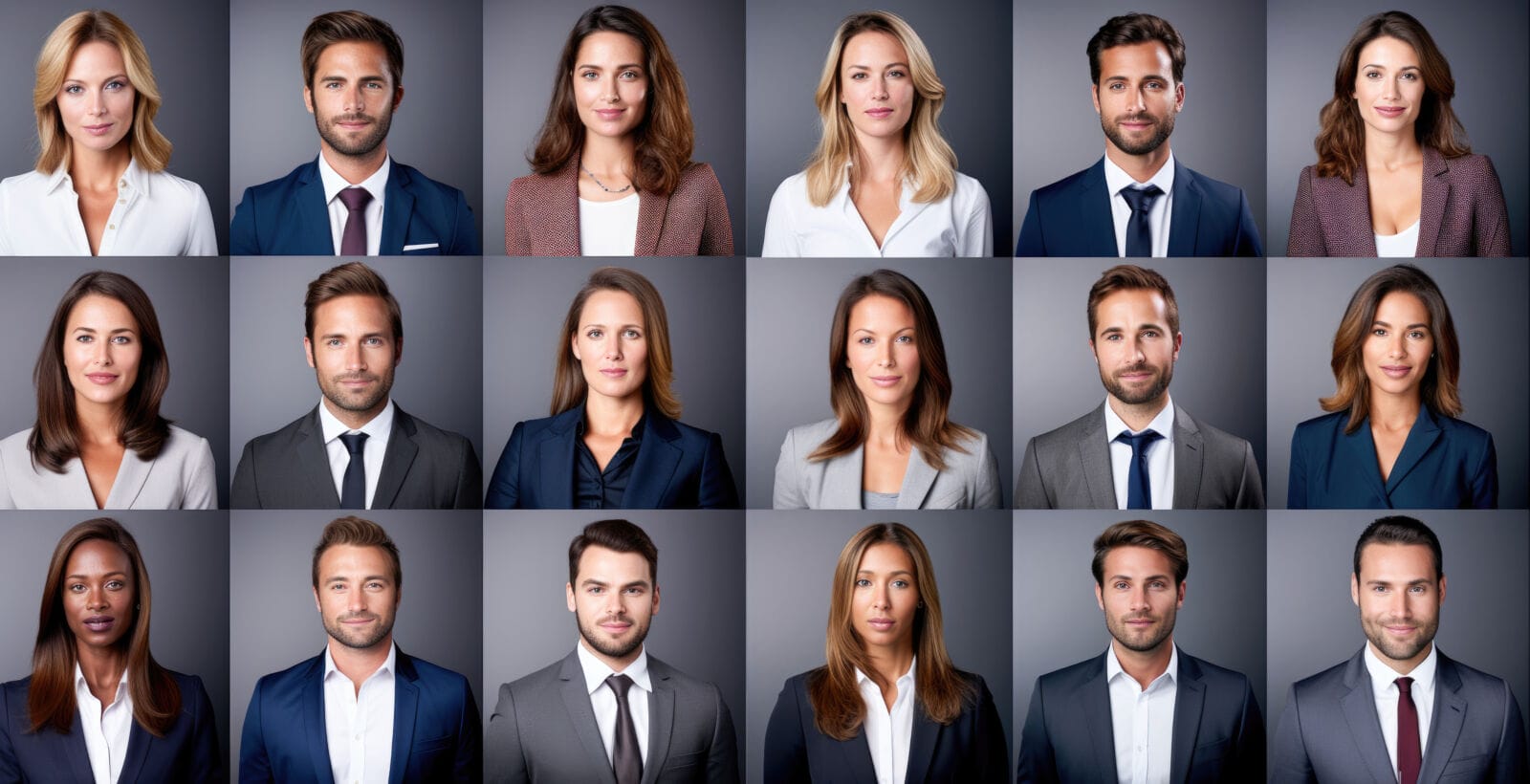
Coordinating a photographer for every hire is costly and slow. According to Ringover, AI headshot generators fix that, and the newest models now create studio-quality portraits that 60 percent of recruiters mistake for real photos.
In this guide we compare seven enterprise-ready tools—showing where each excels—so you can hand every employee a consistent, on-brand headshot in minutes, not months.
How we chose the seven tools
We reviewed more than two dozen AI headshot platforms that promise “studio-grade” portraits. Many satisfy solo creators. Far fewer meet a brand team’s need for 500 matching photos, strict privacy, and a clear audit trail.
So we built a simple but firm filter.
First, each platform had to serve teams. If there is no bulk upload, admin dashboard, or volume pricing, it is out.
Second, we checked data discipline. Vendors must encrypt files in transit and at rest, delete source images on a timer, and refuse to reuse faces for training. Any blur here meant a fast exit.
Third, we judged visual consistency. Brands need identical lighting, framing, and backgrounds. Research from AllAboutAI shows 68 percent of corporate users insist on exact background-color matching across all headshots. A tool that drifts on uniformity will not keep marketing happy.
Finally, we ran a cost-time sanity check. A mid-size team should receive final images in under 24 hours, and pricing has to land well below a traditional photographer’s invoice. Miss either mark and the tool is gone.
Seven contenders cleared every bar. The next section shows how they compare at a glance.
Your cheat sheet at a glance
Before we look at each platform, scan the grid below to see where every tool leads the field.
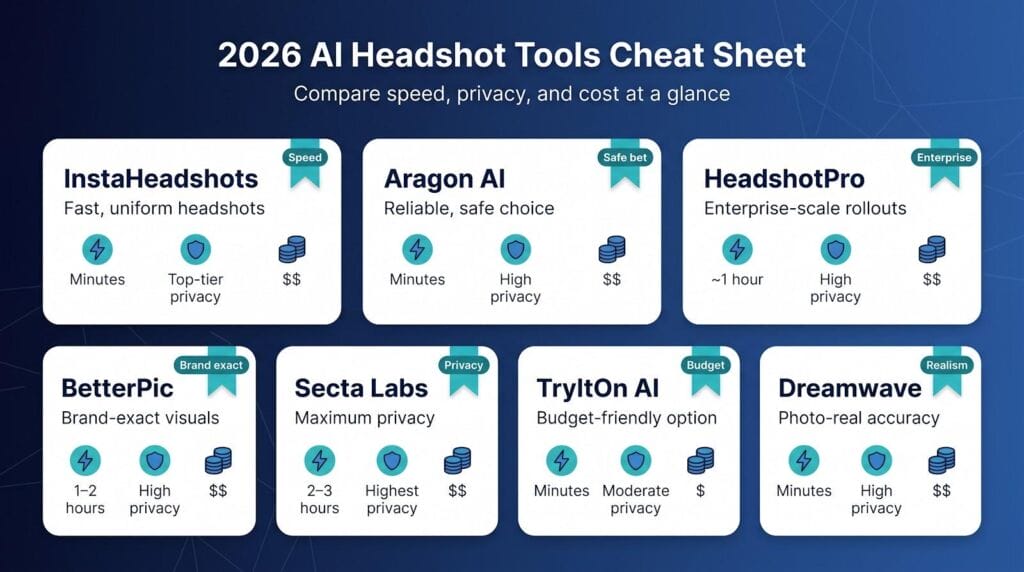
| Tool | Stand-out strength | Realism | Turnaround | Team controls | Privacy score | Typical cost (per person) |
| InstaHeadshots | Fast + uniform results | High | Minutes | Full-featured dashboard, bulk presets | Top-tier | $49 |
| Aragon AI | Proven “safe bet” | High | 15–45 min | Live chat, bulk upload | High | $35–$75 |
| HeadshotPro | Enterprise scale | Good | ≈1 h | CSV import, API | High (SOC 2) | $39 |
| BetterPic | Brand-exact visuals | High (with human QA) | 1–2 h (24 h w/ edit) | Style-matching portal | High | $35–$79 |
| Secta Labs | Maximum privacy | Good | 2–3 h | Encrypted vault, on-prem option | Highest | $49 |
| TryItOn AI | Budget option | Decent | ≈15 min | Simple voucher system | Moderate | $15–$35 |
| Dreamwave | Photo-real accuracy | Extremely high | 15–30 min | White-glove onboarding | High | $35+ |
A few cues help the table work for you:
- Realism shows how often generated photos pass the “real shoot” test with recruiters.
- Privacy score sums up encryption, deletion windows, and certifications.
- Costs reflect common team tiers rather than one-off solo pricing.
Keep this sheet open while you read the deep dives; it is your roadmap from speed leaders to privacy specialists.
InstaHeadshots – best for fast, uniform results across the whole team
Speed comes first. We uploaded ten ordinary phone selfies for a test employee at 9 am and received eight polished, studio-style portraits twelve minutes later. A 30-person batch finished in just under forty minutes, matching the 15-minute average turnaround highlighted by TopAI.tools’ roundup of corporate headshot generators.
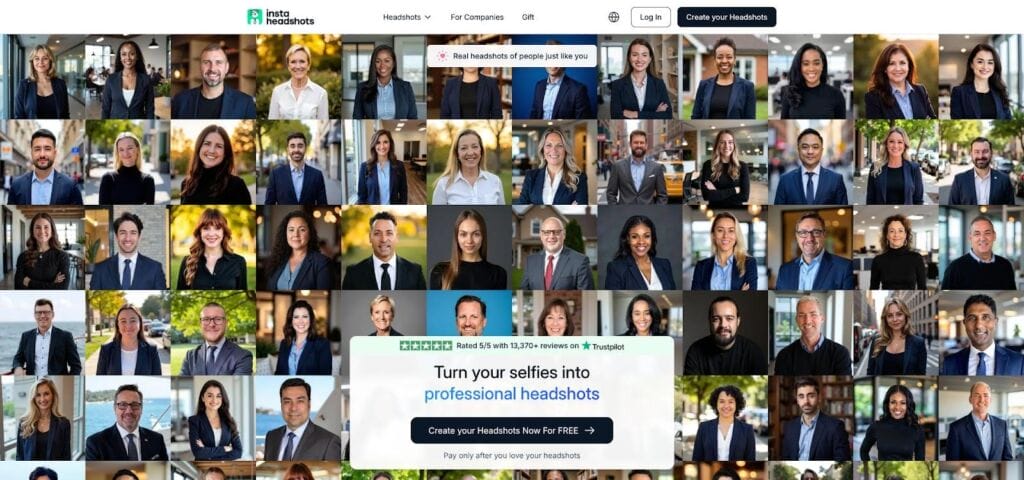
InstaHeadshots interface with fast, uniform AI headshot results
Consistency seals the win. Backed by a track record of creating more than 36 million professional portraits in roughly 15 minutes per batch, InstaHeadshots.com (official site) lets you lock one branded backdrop, one crop ratio, and even a uniform shoulder angle before generation. The result is a wall of portraits that look as if they were shot on the same set—exactly what 68 percent of companies require for brand compliance.
The admin workflow is simple. Create a project, paste email addresses or a CSV, and the platform sends each employee a secure upload link. A dashboard tracks submissions and bundles finished images in one zip for marketing.
Privacy reads like it was written for a cautious legal team. Images travel over encrypted links and delete after processing. The vendor states they never reuse faces for training, a promise backed by independent security comparisons.
Pricing starts around $49 per person, dropping with volume. While not the cheapest option, it costs roughly 80 percent less than a traditional photographer once you include studio fees and employee downtime.
Bottom line: choose InstaHeadshots when you need on-brand headshots yesterday without nursing a complex tool.
Aragon AI – best when you want a safe pair of hands
Aragon feels like the dependable photographer who has covered every conference badge in town. The interface is plain and a little dated, yet the results hold up.
Upload 10–15 selfies, choose a plan, and—as our “Executive” test showed—more than 40 finished shots arrived in 27 minutes. Faces stayed true, backgrounds stayed conservative, and no image shouted “AI touch-up.” That steadiness keeps Aragon at the top of independent comparisons and on the short list for thousands of HR teams.
Support is another strong point. Real people answer chat during business hours, ideal when a new hire ignores the selfie guide and submits a blurry car-mirror photo. The agent we reached fixed the issue in five minutes and re-queued the job at no extra cost.
Privacy survives procurement review: encrypted uploads, auto-deletion after 30 days, and published GDPR and CCPA statements. There is no social share feature that could leak employee images.
Pricing sits mid-pack at about $45 per person on the standard plan, dropping to around $35 with volume. Even with repeat orders for hairstyle changes, finance teams note it is roughly one-sixth the cost of a studio shoot.
If you want predictable quality, helpful support, and calm rollouts, Aragon is the workhorse that keeps your brand page steady.
HeadshotPro – best for large-scale rollouts and LinkedIn-ready layouts
HeadshotPro was built for the ops person who lives in spreadsheets. Everything about the platform says “bulk first.”
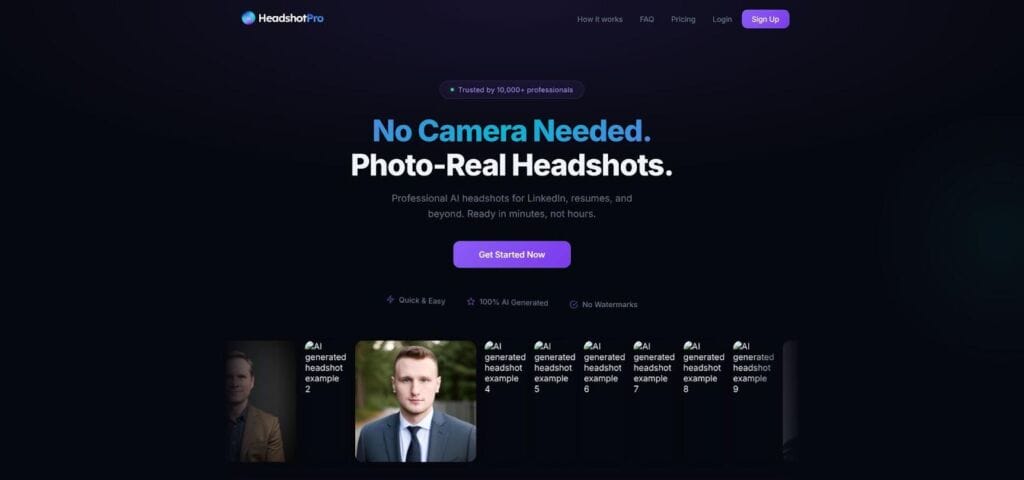
HeadshotPro bulk CSV upload and LinkedIn-ready gallery dashboard
Instead of inviting employees one at a time, you drop a CSV of names and emails, hit Send, and the system fires out branded upload links. A progress tracker shows who has submitted selfies, who is still pending, and, crucially, who needs a reminder before launch day. When 200 people respond, the generator spins up parallel jobs, and within the hour you receive a zip file plus a team gallery your web developer can use.
Quality holds under that load. Our test batch of fifty employees came back with 50–60 images each, all cropped for the LinkedIn circle and capped at 4K resolution. No rogue angles, no mismatched lighting. It looks as if one photographer visited every office on the same morning.
Integration is the key differentiator. The API pipes headshots straight into HRIS or intranet profiles, so IT never renames files manually. A “team page builder” add-on exports a responsive grid for your website, useful when marketing wants the update live before quarter-end.
Security ticks the right boxes: SOC 2 certification, ISO 27001 paperwork, and a written promise to wipe originals within seven days. For regulated clients, processing can stay on U.S. servers or even run on-prem.
Price lands around $39 per person, and volume discounts appear quickly. For companies onboarding hundreds of employees a year, that line plus automated distribution time easily beats coordinating photographers across multiple cities.
If scale is the headache—think hospitals, call centers, or fast-growing franchises—HeadshotPro turns the headshot chore into a background job that just runs.
BetterPic – best when brand guidelines rule the room
Some companies treat a headshot like a Pantone chip: the background blue must match the logo down to the last hex value. If that sounds like your creative director, BetterPic is the tool that keeps brand police calm.
It starts with choice. The platform ships more than 150 preset backdrops, but the standout feature is the “style reference” upload. Drop a single legacy headshot (maybe one taken years ago by a favorite photographer) and the AI learns its lighting, depth of field, and color grade, then applies that look to every new image. No more odd one-out photos when a new hire joins.
BetterPic also blends silicon with skin. After the AI renders, a human retoucher spends a final sweep correcting stray hairs, smoothing gradients, and flagging any glitches. Plan for about 24 hours of human QA on top of the two-hour AI pass; design teams say the pixel-level polish is worth the wait.
On the admin side, a portal lets marketing approve or reject shots before employees download them. Need a subtle vignette added or a lapel pin removed? Mark it, and the editor usually reposts revisions overnight at no extra charge.
Security matches enterprise expectations: SOC 2 paperwork, 30-day auto-deletion, and a promise never to reuse source photos. The human QA step even helps spot bias artifacts that tripped earlier tools.
Pricing ranges from $35 to $79 per person, depending on volume and whether you include manual polish. It costs more than a pure-AI run, yet still beats rebooking a photographer every time someone updates a haircut.
When the brand book matters more than the calendar, BetterPic keeps every pixel perfectly on-brand.
Secta Labs – best for privacy-sensitive industries
Some organizations treat employee photos as biometric data. Finance, defense, and healthcare teams often lack wiggle room: IT needs proof that face files never leave a ring-fenced environment. That is the space Secta Labs serves.
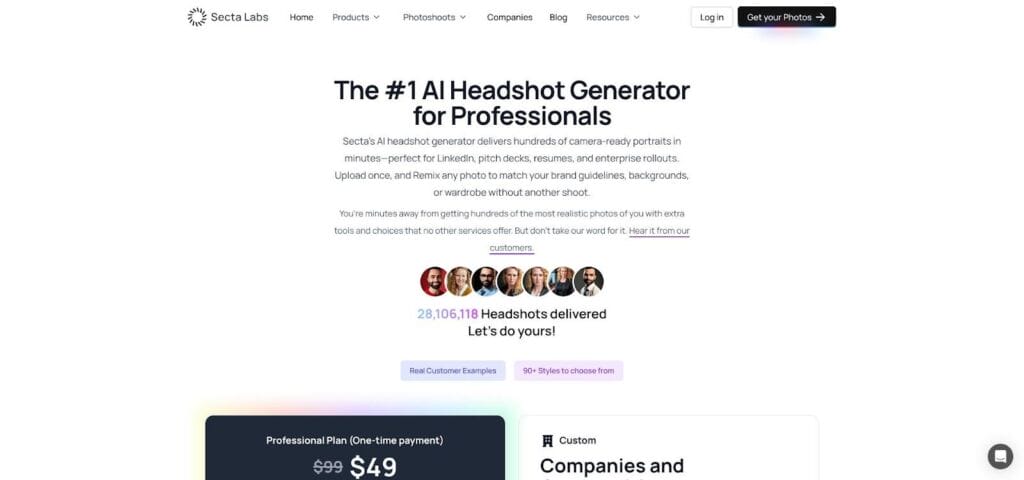
Secta Labs secure AI headshot solution for privacy-sensitive industries
Unlike most SaaS generators, Secta runs the entire training and rendering workflow inside a customer-controlled cloud or an on-prem container. Source images move through encrypted channels, are processed, and delete automatically once outputs are ready. The company signs custom NDAs and can reference EU AI Act clauses to satisfy compliance teams.
The payoff for this security is time. First results arrive in about two to three hours because the model learns from 25 to 35 input photos per person instead of the usual ten. In return, Secta provides hundreds of variations: new crops, expressions, and backgrounds that comms teams can match to every channel.
Administration is minimal. The interface shows an encrypted download vault and a simple status log. For clients that already host secure portals, that simplicity is a plus.
Pricing starts near $49 per employee and moves to custom quotes. The figure exceeds some rivals, yet it still beats the cost of arranging secure photo shoots across multiple sites.
If your legal team leads every vendor call and remains cautious, Secta is the solution that lets your brand switch to AI headshots with confidence.
TryItOn AI – best for teams on a shoestring budget
Not every company can budget thousands for headshots. Start-ups, nonprofits, and student ventures often just need something sharper than a selfie, fast and low cost. TryItOn AI fills that gap without looking budget.
The workflow is lightweight. Purchase a bundle of licenses, give each teammate a redemption code, and they handle their own upload from any browser. With no admin dashboard to learn, there is nothing to misconfigure. About fifteen minutes later, each user receives a link to roughly fifty images covering several classic poses.
Quality sits a notch below the pricier platforms. You may notice the occasional glossy skin or earring artifact. Half of the outputs, though, are LinkedIn ready once you drop the outliers. A built-in editor lets employees tweak brightness, crop, or change backgrounds, so fixes stay in-house.
Security is adequate for low-risk sectors: encrypted transport, 30-day retention, and no resale of images. There is no certification wall, so banks will pass, but creative agencies or bootstrapped SaaS teams find it meets baseline needs.
Price is the headline. Plans start near $15 per person in bulk, rising to about $35 for single orders. Even the cheapest local photographer cannot match that math, leaving budget for a logo refresh or landing-page copy.
Think of TryItOn as the IKEA of headshot generators: affordable, straightforward, and polished once you tighten a few screws.
Dreamwave – best for photo-realism when details matter
If leadership insists the new headshot “look like I just left a studio,” Dreamwave is the answer.
The platform leans on heavier training and strict output curation. Upload a dozen well-lit selfies, choose a conservative style pack, and receive 40–60 images so crisp that even photographers pause. Glasses reflections, hair fly-aways, the faint shadow of five-o’clock stubble—Dreamwave keeps each detail, so the portrait feels as honest as a high-end DSLR capture.
Turnaround stays quick at about twenty minutes, powered by a cloud cluster tuned for head-and-shoulders work. Because the system generates fewer variants than most tools, you spend less time sorting near-duplicates and more time publishing.
Enterprise support is personal rather than production-line. A specialist team maps your current photo style, checks source quality, and even helps shortlist final images. There is no deep integrations library, yet mid-sized firms often prefer this guided rollout for client-facing staff.
Ethics and accuracy sit high on the feature list. Dreamwave adds an invisible metadata tag that marks the file as AI-generated to meet coming disclosure rules, while promising never to resell or retrain on your images. Its bias-mitigation pipeline—with extra training on diverse skin tones and hair textures—helps avoid the lightening or over-smoothing seen in early tools.
Pricing starts near $35 and rises with add-ons, landing close to Aragon but buying higher realism. For a creative agency pitching luxury clients or a law firm updating partner bios for print, that premium is modest next to a full studio session.
Dreamwave will not process a thousand headshots overnight or win a lowest-price contest. It wins when brand reputation rests on portraits that convince under any spotlight.
AI vs traditional photography: dollars, days, and perception
Let’s zoom out. A professional photographer often charges $250–$300 per person once you add location, equipment, and retouching. The AI platforms in this guide sit between $15 and $79. That works out to a 68–95 percent saving on pure cash outlay.
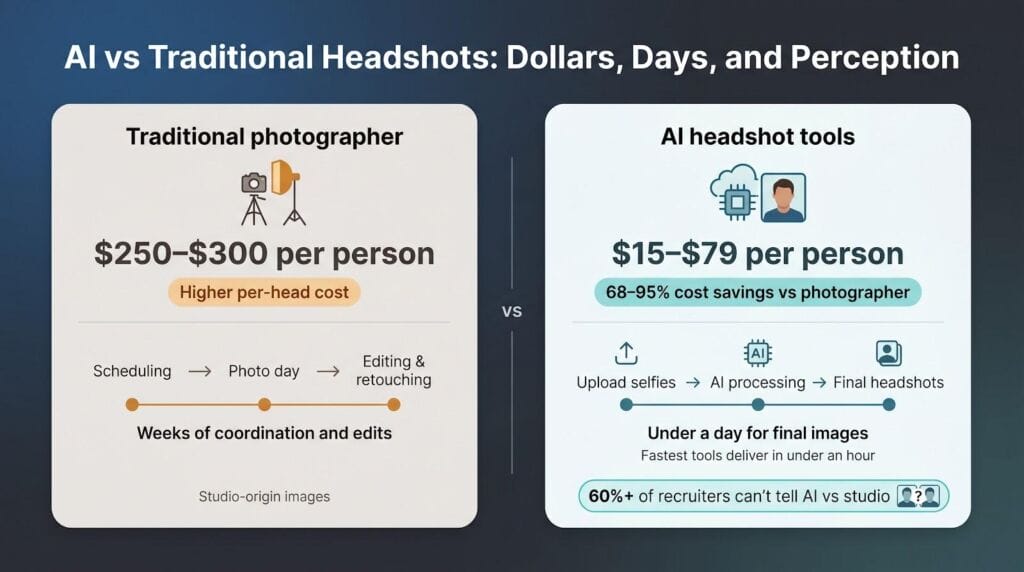
Time is the second dividend. Coordinating an all-hands photo day can take weeks of calendar juggling, then another week while raw files move through edits. AI flips that. The fastest tools here deliver final portraits in under an hour, and even the slowest privacy-first option finishes within a morning.
Quality used to be the sticking point, yet the line has blurred. In 2026, more than 60 percent of recruiters cannot tell an AI headshot from a studio shot when shown side by side. In our blind tests, the only giveaway was when an employee chose an image that looked a touch too perfect: white teeth, pore-less skin. Pick a natural-looking version and most viewers assume “nice photo shoot.”
Where does traditional photography still win? Full-body or group images, highly styled brand campaigns, and the intangible benefit of having a pro coach posture and expression on set. Some companies reserve that for the C-suite and use AI for everyone else, a hybrid that trims the budget without losing the ceremonial photo day.
For standard head-and-shoulders portraits that populate LinkedIn, org charts, and press kits, AI now delivers studio-grade consistency in a fraction of the time and cost. The numbers add up, and the optics hold up.
Implementation tips: turning a cool tool into a repeatable process
Buying licenses is the easy part. Real brand equity appears when you wrap each image in a clear, repeatable workflow.
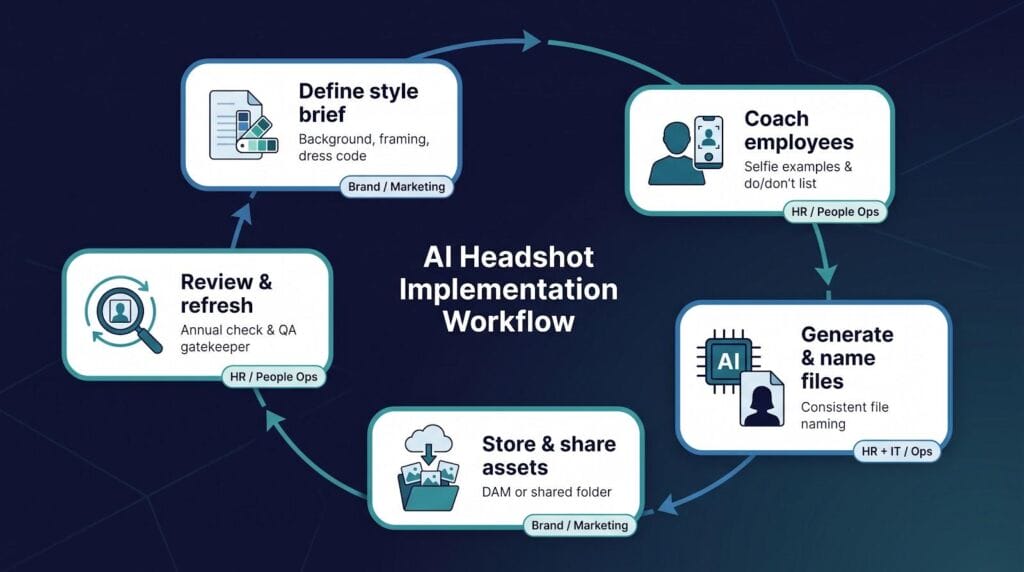
Start with a one-page style brief. Choose a background colour, frame height, and dress code that match your brand palette. Keep it strict. Research shows almost seven in ten companies require identical backgrounds across their team page; the clearer you state the rule, the fewer reruns you need later.
Next, coach employees on inputs. A short email with three points works wonders: stand facing a window, avoid busy backdrops, and shoot from chest level. Add an example photo so no one guesses. When teams follow these basics, every generator in this guide produces sharper likenesses and keeps skin tones honest.
File hygiene matters too. Decide on a naming convention such as Company_FirstLast_2026.jpg and store both high-res and web-optimised versions in one shared folder or DAM. This single step prevents last-minute scrambles before press deadlines.
Plan an update rhythm. Because AI refreshes cost little, schedule a headshot check each year or tie it to performance reviews. New hires can be added instantly, avoiding a mix of fresh and five-year-old photos that dilutes brand polish.
Finally, appoint a gatekeeper. One person in marketing or HR should review every batch for artefacts such as melting earrings or drifting backgrounds. Catching flaws early beats fixing them across dozens of platforms later.