
You get one shot to capture an investor’s attention. The right presentation software for startups turns that stress into a confident, streamlined pitch. We tested nine leading tools — scoring native file control, AI-drafting speed, collaboration, startup-specific workflows, and price—to uncover which option saves you time and safeguards your story. In the next few minutes you’ll see our quick winners, scoring rubric, and hands-on results so you can pick a deck builder that matches your budget and delivers a term-sheet-ready file.
The quick-pick shortlist
Founders often want the answer first. The table below spotlights nine presentation software options for startups, each crowned for one clear advantage. Compare prices, choose your fit, then jump to the deep-dive scores that follow.
| Tool | Why startups choose it first | Starting price* |
| Plus AI | Native AI inside PowerPoint & Google Slides | $10 /user /month |
| Gamma | Fastest standalone AI draft | Free |
| Pitch | Built-in deck analytics and collaboration | Free (paid analytics tiers) |
| Google Slides + Gemini | Best free real-time teamwork | Free (Workspace plans add features) |
| PowerPoint + Copilot | Enterprise-ready .pptx with AI help | $30 /user /month (add-on) |
| Canva | Visual assets and brand kit in one place | $15 /month |
| Beautiful.ai | Automatic layout guardrails | $14.50 /month |
| Slidebean | Guided fund-raising narrative | ≈ $7 /month |
| Prezi AI | Memorable, nonlinear live delivery | Free |
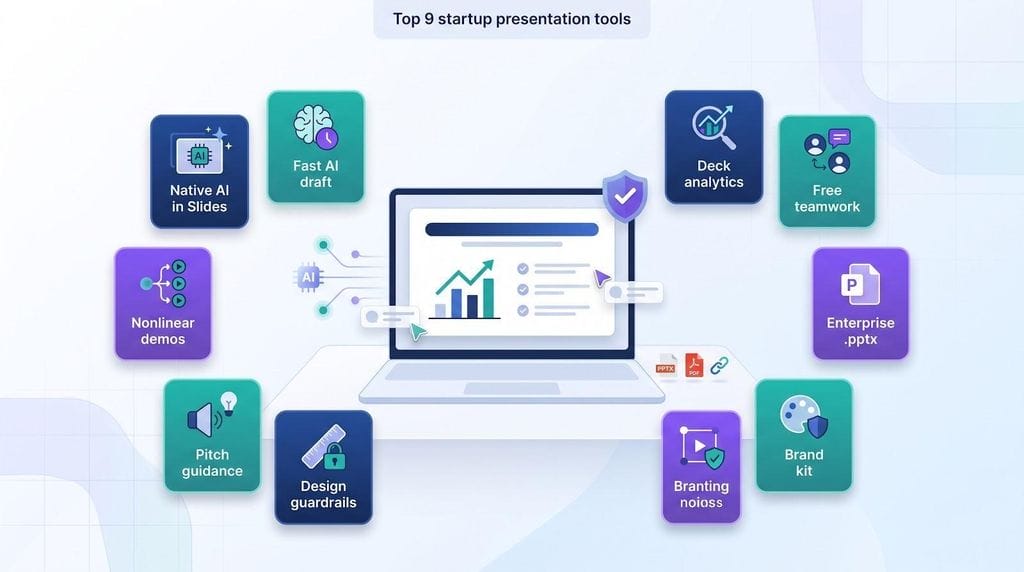
*Prices verified October 14, 2026; annual billing where offered.
See a tool you already use? Note what makes it shine. Spot a gap? The sections ahead show whether a switch or a two-tool combination could save hours on your next deck.
How we compared the nine startup presentation tools
Scoring rubric
Founders need more than a flashy first draft, so we graded each tool on seven weighted factors:
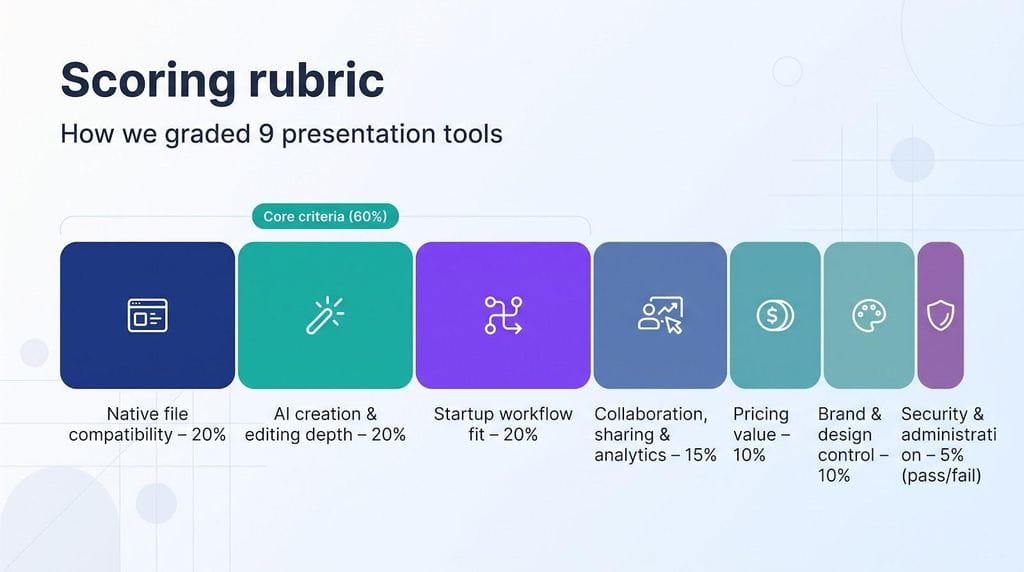
- Native file compatibility – 20%
- AI creation and editing depth – 20%
- Startup workflow fit – 20%
- Collaboration, sharing, and analytics – 15%
- Pricing value – 10%
- Brand and design control – 10%
- Security and administration – 5% (pass/fail: any tool that lacks basic safeguards drops from the list)
Real-world test
Each product faced the same three briefs: a 12-slide seed pitch, a quarterly board update, and an 8-slide enterprise sales deck. We measured:
- Minutes to first draft
- Minutes to investor-ready deck (after cleanup)
- Export errors in PowerPoint or Slides
- Cost for a three-seat startup team
These metrics fuel the scores you’ll see in the tool sections that follow.
Native, exported and web-native: why format matters
Every minute spent fixing fonts or broken charts is a minute you’re not sharpening the story for investors. That’s why our test scores each product on how it handles the final file.
Native slide creation (for example, Plus AI in PowerPoint or Google Slides) keeps every object editable. You can tweak numbers, swap a logo, or add speaker notes without rebuilding the deck. The trade-off is that you or an add-in must handle more of the layout.
Exported slides (Gamma, Canva, Beautiful.ai) start in a web app, then move into .pptx or Slides with one click. A solid export blends fast AI visuals with investor-friendly files; a weak one flattens images and drops animations. We opened every export to catch those surprises before demo day.
Web-native decks (Pitch, Prezi) live entirely in the browser. A link delivers analytics and feedback, and interactive blocks shine on stage. The catch is control: some investors still want a PDF, and offline edits are not possible. Check your audience before you pick this lane.
Keep these formats in mind as we rank the tools; a slick first draft means little if the file falls apart at the finish line.
1. Plus AI: best for native PowerPoint and Google Slides workflows
Founders looking for presentation software that fits existing tools can stop here. Plus AI works inside PowerPoint and Google Slides, so every slide stays a fully editable .pptx or Slides file.
In our test, the add-in turned a 1,500-word seed brief into a 12-slide outline in 54 seconds. Charts, icons, and headlines landed on the correct master with zero font mismatches on a reviewer’s laptop. Later, “Reformat” split a cluttered traction slide into two clean columns, and “Rewrite” trimmed jargon in a click.
Security meets startup diligence: SOC 2 Type II plus encryption at rest and in transit. Pricing sits mid-pack at $10 per user per month (annual plan) and re-uses your existing PowerPoint or Slides sharing, so you don’t pay for a second workspace.
Drawback: Plus AI has no built-in investor-link analytics. Teams that need open-rate tracking still pair it with Pitch or DocSend.
Bottom line: when investors insist on an editable file and your team already lives in Slides or PowerPoint, Plus AI removes layout busywork without forcing a new editor.
2. Gamma: best standalone AI tool for a fast first draft
When the brief is clear and time is tight, Gamma delivers presentation software that turns notes into a web-ready deck in minutes. In our test, the platform digested the same 1,500-word seed brief used with Plus AI and produced three distinct design directions, each with palettes, imagery, and a logical slide flow. A conversational agent let us drop traction numbers and reorder sections with plain-English prompts.
A single link shares the deck and tracks viewer analytics. Need a file? Paid plans export to .pptx or Google Slides; our sample export was 95 percent clean, though charts shifted slightly and should be double-checked. Gamma’s free tier limits slide count and watermarks exports; the Plus plan removes those caps for about $10 per month.
Drawback: branding control is lighter than Canva or Beautiful.ai, and offline editing is not possible because Gamma is web-native.
Choose Gamma when speed matters more than fine-grained brand polish; you’ll walk into the meeting with a cohesive deck instead of a blank slide.
3. Pitch: best for fund-raising collaboration and deck analytics
When several co-founders and advisers need one source of truth, and every investor expects a tracked link, Pitch stands out. Real-time coauthoring, comments, and version history feel familiar, yet the main advantage sits behind Share: password-protected links record who opens the deck, how long they stay on each slide, and where attention drops. In our test, those insights prompted us to move a traction slide above key metrics, which increased viewer time on the next send.
AI joins the workflow as well. Pitch Agent drafts or rewrites slides on command, and the new Anything Block adds interactive calculators without code. A generous free tier covers core collaboration; Pro costs $20 per month (includes two seats) and adds brand control plus advanced analytics.
Limitations: Pitch is web-native, so offline edits need an export, and you should confirm SOC 2 documentation before uploading sensitive financials.
Choose Pitch when tight teamwork and detailed engagement data could decide the next meeting’s outcome.
4. Google Slides + Gemini: best free real-time teamwork
For teams already inside Google Workspace, Google Slides + Gemini delivers low-friction collaboration. Every collaborator signs in with an existing Gmail or Workspace account, leaves comments, and watches edits appear instantly, without an extra permissions tree.
We asked Gemini for a 10-slide seed narrative; titles, imagery suggestions, and speaker-note prompts filled the deck in seconds. Because the file stays native, you can drag in last quarter’s revenue chart without breaking the theme, then export to .pptx if a designer needs deeper polish.
Design control is lighter than Canva or PowerPoint, yet that focus helps founders refine the story while Gemini aligns fonts and cleans copy. Pricing is tough to beat: personal Slides is free, Workspace plans start at about $7 per user per month, and core Gemini draft and rewrite tools remain on the free tier (advanced features may need an add-on).
Limitations: offline editing requires a desktop Workspace app, and you should confirm Google’s SOC 2 scope before uploading sensitive projections.
Choose Slides + Gemini when speed, simplicity, and open collaboration matter more than complex animations.
5. PowerPoint + Copilot: best for enterprise-compatible startup decks
When a Fortune 500 buyer asks for the source file, PowerPoint + Copilot remains the most trusted option. A native .pptx sails through corporate firewalls, and Copilot drafts slides in seconds.
We asked Copilot for a 10-slide sales story and received a deck with charts and stock images. Because the file stayed native, we swapped Excel ranges, edited speaker notes, and tweaked slide masters with no conversion hiccups.
Copilot’s rewrite tools help shift tone: one click turned dense product copy into clear benefits; another expanded a headline for a technical audience. Design choices stay under your brand guide, so nothing overrides the master template.
Costs run higher: Copilot layers on top of Microsoft 365, pushing effective pricing to $30 per user per month (plus base plan). Collaboration works but can feel heavier than Google Slides on slower connections. Confirm Microsoft’s SOC 2 and wider compliance scope before pasting sensitive forecasts.
Choose PowerPoint + Copilot when offline mode, deep charting, and boardroom compatibility matter more than price and real-time polish.
6. Canva: best for visual, brand-led startup presentations
For founders who already build social ads and graphics in Canva, its AI-powered presentation workspace keeps every asset in one place. A single prompt in Canva AI 2.0 produced a 10-slide story arc with hero images and consistent typography; layers stayed editable, so we swapped a stock shot for a product GIF without adjusting the layout.
Collaboration mirrors Google Docs; teammates comment and co-edit in real time. When you’re ready, export to PDF, PowerPoint, or a shareable link. Our test .pptx kept 99 percent of fonts, though one diagonal line lost stroke weight, so plan a quick manual check.
Pricing is straightforward: Canva Pro is $15 per month, and the free tier still offers thousands of templates. Turn on Brand Kit to lock colors, fonts, and logos for every slide and social tile.
Limitations: Canva is web-native, advanced analytics are light, and you should confirm its SOC 2 scope before uploading confidential metrics.
Choose Canva when your deck must match the visuals on Twitter, LinkedIn, and your press kit, delivering brand consistency at startup speed.
7. Beautiful.ai: best for automatic design guardrails
For founders who want polished slides without nudging every text box, Beautiful.ai offers grid-locked layouts. Add a bullet, extend a chart, or swap an image and the elastic layout snaps back—no crooked headlines, no late-night alignment fixes.
Smart Slides go further: paste an outline or PDF and the assistant proposes an entire deck, then refines each slide through a chat pane that feels like a designer on call. Colors stay on brand, type remains consistent, and whitespace adjusts automatically, so you can focus on the story.
Shared workspaces with role-based permissions keep rogue fonts out. In our test, a product lead and revenue analyst co-edited one draft, and every change respected the guardrails.
Pricing starts at $14.50 per month after a two-week trial. The Team tier costs more but adds Brand Kit, SSO, and SCIM, handy if you ship customer decks weekly. Note: you can’t freely move every element, and advanced analytics require another tool.
Choose Beautiful.ai when polish matters but design talent is scarce. The deck that lands in an investor’s inbox will look intentionally crafted, even if design isn’t your day job.
8. Slidebean: best specialist for first-time fund-raising founders
If building a pitch deck feels overwhelming, Slidebean delivers step-by-step guidance. A short questionnaire captures problem, solution, market, and traction, then auto-builds an investor-ready sequence: title, problem, solution, market size, traction, business model, and ask, in the order most angels expect.
Templates lean minimalist so numbers and graphs stand out, and a single toggle applies new color palettes across every slide. Helpful tooltips explain why each slide exists, steering rookie founders past common narrative gaps. Need extra polish? Paid consulting can review financials or redesign key slides, but it’s optional.
Export to PDF or PowerPoint for easy sharing. Core features cost $7 per month (annual plan); higher tiers add analytics and expert-help credits. Confirm Slidebean’s security documentation before uploading sensitive financials, as SOC-2 details were not public at last check.
Choose Slidebean when you need a pitch-perfect structure as much as attractive slides; the platform trades pixel freedom for proven storytelling.
9. Prezi AI: best for live demo days and nonlinear storytelling
When the pitch is on stage, static slides can feel stiff. Prezi AI offers a zoomable canvas that lets founders dive into traction, jump to a product demo, or circle back to vision without losing the crowd.
We dropped a website URL into Prezi, and the assistant built a branching narrative with brand colors and logo in seconds. Typing “add a market snapshot” inserted a new frame exactly where we wanted it. Live extras such as polls, on-screen reactions, and presenter view keep investor eyes up front.
Pricing is straightforward: a free tier handles simple decks, and the Plus plan costs $15 per month (annual billing) for offline access and brand customization. PDF and PowerPoint exports exist, but the real impact shows on a big screen with a clicker. Confirm Prezi’s security documentation before uploading sensitive metrics; SOC-2 details were not public at last check.
Choose Prezi when your story is dynamic and you want the freedom to follow investor questions in any direction. Skip it for dense financial tables that belong in a linear deck.
Best startup presentation software by use case
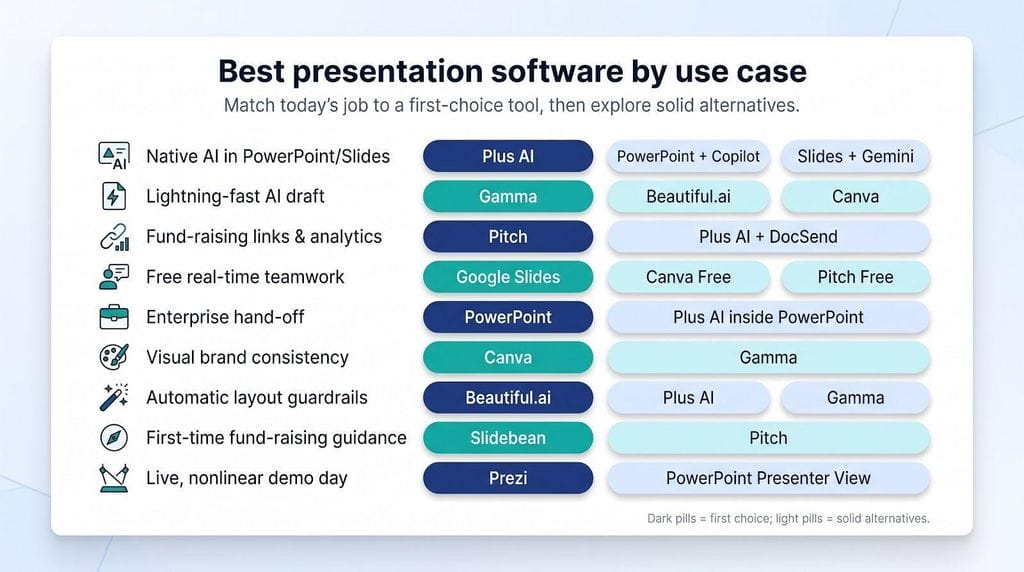
No single platform wins every scenario. Use the grid below to match your choice to today’s job.
| Startup need | First choice | Solid alternatives |
| Native AI inside PowerPoint or Slides | Plus AI | PowerPoint + Copilot, Slides + Gemini |
| Lightning-fast AI draft | Gamma | Beautiful.ai, Canva |
| Fund-raising links and engagement data | Pitch | Plus AI + DocSend* |
| Free real-time teamwork | Google Slides | Canva Free, Pitch Free |
| Enterprise customer hand-off | PowerPoint | Plus AI inside PowerPoint |
| Visual brand consistency | Canva | Gamma |
| Automatic layout guardrails | Beautiful.ai | Plus AI, Gamma |
| First-time fund-raising guidance | Slidebean | Pitch |
| Live, nonlinear demo day | Prezi | PowerPoint Presenter View |
*DocSend adds secure distribution and analytics; it does not create slides.
Stage-based quick picks
- Bootstrapped / pre-seed: Google Slides, or the free tiers of Canva and Gamma.
- Seed round: Plus AI on top of Slides for native files, or Pitch if view analytics will drive follow-ups.
- Series A and later: Plus AI or PowerPoint for full editability, then Pitch for tracked links and version control.
- Enterprise sales: PowerPoint or Plus AI, where deep charts and offline mode survive every forward.
- Consumer brand launch: Canva or Gamma for visuals that also power social posts and landing pages.
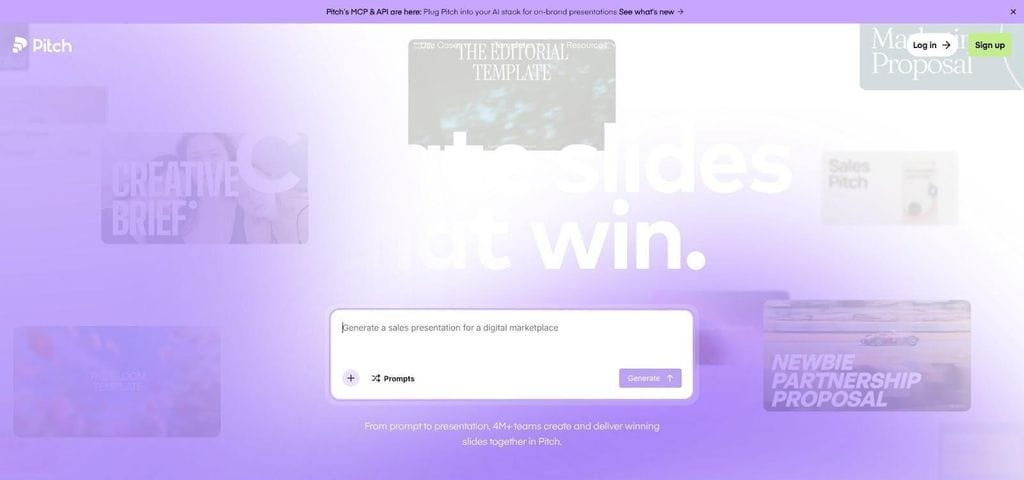
Pitch deck analytics and collaboration dashboard
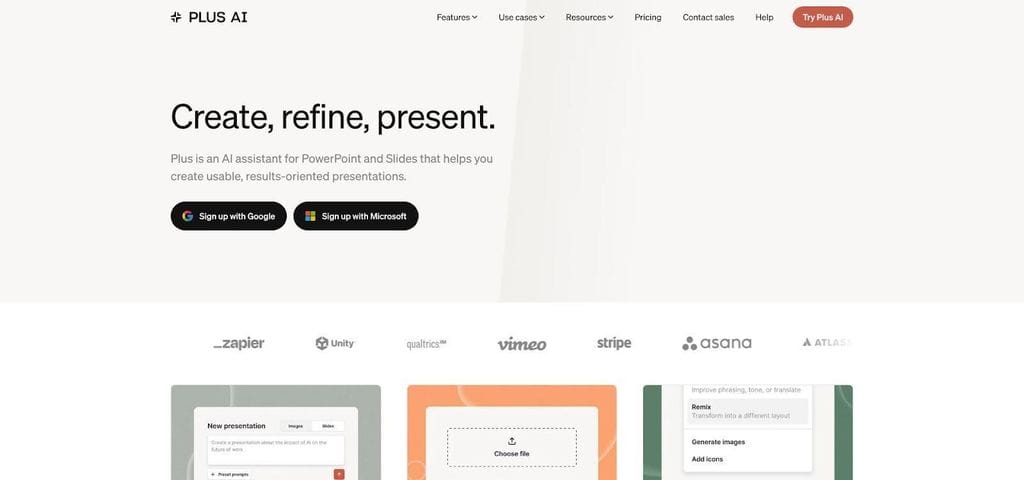
Plus AI add-in for PowerPoint and Google Slides
Test one real brief in your top two candidates; ten minutes of hands-on time will tell you more than any spec sheet when the next funding round is on the line.
How to choose presentation software for your startup
Picking presentation software is a workflow call, not a beauty contest. Run any tool through these five checks before you pay:
- Stack fit. If your team lives in Google Workspace, Slides-based tools win; Microsoft-first orgs usually need native .pptx.
- Delivery path. Presenting live? Web-native decks such as Prezi shine. Email hand-offs favor a clean PDF or PowerPoint export, while founders who need open rates should budget for Pitch or DocSend.
- Editing time. Time the full cycle, from prompt to investor-ready deck. Aim for under 60 minutes, including cleanup; watch for chart or font breaks after export.
- Real seat cost. Audit free tiers for AI-credit caps or watermarks, then count only the people who must edit, or send analytics links. Many startups need three seats, not ten.
- Security baseline. Ask for a current SOC 2 report, opt out of model training if offered, and confirm how quickly content can be deleted on request.
If a platform clears all five, you have more than a flashy AI demo; you have a tool that survives day-to-day startup pressure.
Should you run one tool or a two-tool stack?
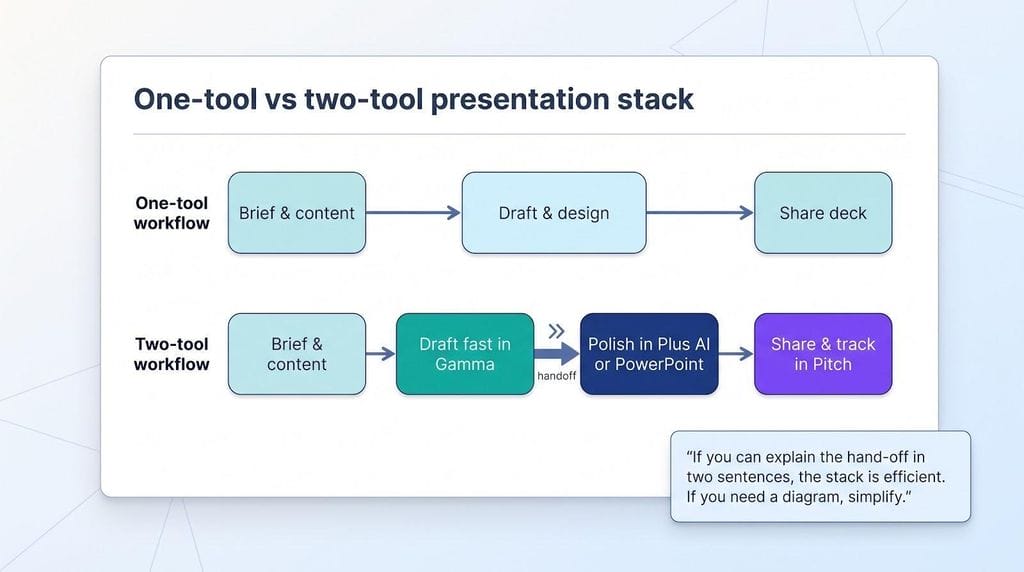
The best presentation software can be a pair working in tandem. Use one editor when:
- Your whole team shares a single ecosystem (Google Workspace or Microsoft 365).
- Investors and customers accept the file format you already produce.
Add a second tool when workflows diverge. Common pairs:
- Draft fast in Gamma, then polish in Plus AI or PowerPoint.
- Design in Canva, then send tracked links through Pitch.
Cost math often favors this mix: one Plus AI seat to finish layouts costs less than upgrading ten Canva seats for unbranded exports, and two Pitch Pro seats beat enterprise analytics for everyone.
Keep the combo lean:
- Assign clear owners for each tool.
- Lock brand assets in one place to avoid color drift.
- Test the final export path a week, not a night, before demo day.
If you can explain the hand-off in two sentences, the stack is efficient. If you need a diagram, simplify. Momentum, not software count, wins funding conversations.
How to use AI without weakening your startup pitch
Fast doesn’t matter if the facts wobble or the design screams “stock template.” Use this five-step filter to keep AI productive:
- Feed it truth. Give the assistant a product brief, current metrics, and customer quotes; AI can’t hallucinate numbers you never supply.
- Let AI shape, you judge. Ask for outlines and layout options, then decide which points earn slide real estate. Investor trust comes from your conviction, not the model’s.
- Remove the AI look. Replace stock photos with product shots, mix slide layouts, and delete buzzwords like revolutionary or game-changing.
- Verify every claim. Cross-check market sizes and competitor data against primary sources; if you can’t defend it in Q&A, rewrite or delete.
- Read it aloud. Walk through the deck sentence by sentence—anything that feels wooden gets rewritten in your own voice.
Security, confidentiality and AI disclosure
Treat every slide as proprietary code. Follow this five-point checklist before you upload a single metric:
- Inventory the sensitive data. Financial projections, roadmap dates, customer logos, and planned head-count are all confidential business information.
- Demand proof, not promises. Ask vendors for a current SOC 2 (or ISO 27001) report, plus details on AES-256 encryption at rest, and TLS 1.2+ in transit.
- Control access. Require SSO and SCIM so you can remove a departed intern’s account in under 60 seconds.
- Read the data-use clause. Some free tiers allow model training on your content; opt out or upgrade.
- Mind the jurisdiction. Since August 2, 2026 the EU AI Act requires a disclosure label for synthetic text or images shown to EU users; add a two-sentence footnote if your deck could cross the Atlantic.
Conclusion
Certifications lower risk; they don’t erase it. Upload only what you can defend in public, keep an offline backup, and delete cloud copies once the round closes. Boring security beats exciting breaches every time.