In the modern corporate ecosystem, mobility is currency. The era of checking in heavy luggage for a three-day business trip is rapidly giving way to the “one-bag travel” philosophy. For tech professionals, developers, and executives, however, packing light is not as simple as throwing a few extra shirts into a carry-on. The real challenge lies in the sheer volume of hardware required to maintain operational efficiency on the move: flagship laptops, tablets, smartphones, wireless earbuds, and the endless tangle of power cords and proprietary charger bricks that accompany them.
When your travel bag is packed with individual, bulky power blocks for every device, your mobility drops, and your transit friction skyrockets. Mastering the one-bag strategy requires a deliberate shift in how you audit your gear and manage your power logistics. By replacing the chaotic mess of fragmented power accessories with a single, high-efficiency universal portable charger and consolidating your hardware ecosystem, you can transition through airport security, coffee shop meetings, and hotel workspaces with absolute speed and zero baggage stress.
The One-Bag Philosophy: Minimalism as an Operational Strategy
For high-tech travelers, one-bag travel is not about deprivation; it is about asset optimization. Every additional ounce in your backpack compounds into physical fatigue over a long day of travel, while every extra cord increases the time spent unpacking and repacking at security checkpoints.
The psychology of packing light centers around eliminating “just in case” items. If a tool or accessory does not serve a critical daily function in your workflow, it has no place in a minimalist travel setup. By strictly curating your physical assets, you create a seamless travel experience that allows you to focus entirely on your professional performance rather than managing your luggage.
Phase 1: Curating the Hardware Core
The foundation of a successful one-bag business trip is a top-down audit of your primary devices. To compress your workspace into a single backpack, you must enforce a strict multi-use policy for your hardware.
- The Primary Computing Engine: Instead of carrying both a heavy work station and a personal lightweight laptop, rely on a single, high-performance laptop capable of handling heavy workloads while offering excellent battery efficiency.
- The Secondary Display Solution: Rather than packing a dedicated portable monitor, use a flagship tablet. It serves as an ultra-portable device for reading and signing documents during transit, and seamlessly transitions into a secondary screen via software when you set up your remote office.
- Peripherals and Inputs: Opt for low-profile wireless mice and slim mechanical keyboards that lay flat in your bag’s tech compartment. Ditch the bulky cases and use slim sleeves that protect your hardware without adding volume.
Phase 2: Mastering the Packing Geometry
Once your device list is consolidated, the way you pack them dictates your comfort and speed during travel. The ideal high-tech travel pack should feature a dedicated, TSA-friendly tech compartment positioned closest to your spine. This placement keeps the heaviest items, like your laptop, flush against your back, maintaining proper ergonomics and reducing shoulder strain.
Utilize the “modular packing” method. Instead of loose accessories floating in different pockets, group your tech essentials into specialized, lightweight organizational pouches.
- Pouch 1: Core Power and Cables. This should hold your centralized power hub and a maximum of three heavy-duty, high-wattage USB-C cables.
- Pouch 2: Adapters and Input Devices. This houses your presentation pointers, a slim mouse, and essential display adapters (like USB-C to HDMI).
By grouping your gear this way, you can pull out your entire power setup or peripheral kit in one smooth motion without digging through clothing or loose items.
Phase 3: Consolidating the Power Ecosystem
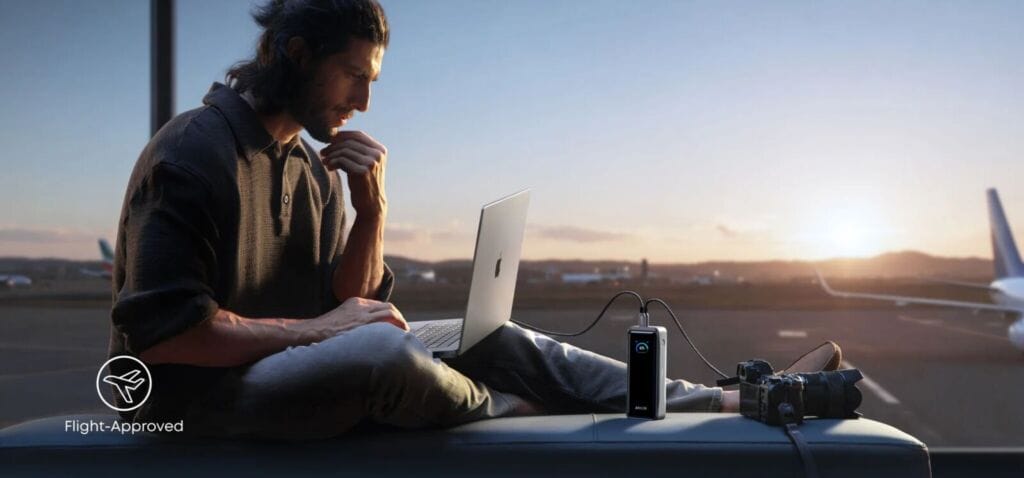
For one-bag travelers, power management is often the biggest challenge. The goal is not just carrying enough power, but carrying it without adding unnecessary chargers, adapters, and backup batteries to your bag.
First, it needs to be travel-friendly. With a 99.75Wh battery capacity, the Anker Prime Power Bank (26K, 300W) remains below the 100Wh threshold commonly referenced by airline carry-on battery policies, making it suitable for most business travel scenarios.
Second, it needs to keep your laptop running. When paired with a compatible 5A USB-C cable, the power bank can deliver up to 140W from a single USB-C port, charging a MacBook Pro (M4 Pro) to 50% in approximately 27 minutes. Whether you’re working from an airport lounge or preparing for a client meeting, a quick recharge can make a meaningful difference.
Finally, it needs to handle your entire device ecosystem. With up to 300W of total output across three ports, the power bank can charge a laptop, tablet, and smartphone simultaneously, reducing the need to carry multiple charging bricks and helping keep your setup streamlined while on the move.
Phase 4: A Typical Business Travel Day
A well-planned one-bag setup should do more than save space in your backpack, it should make travel days simpler and more efficient. From the moment you leave home to the end of a full meeting schedule, every piece of gear should earn its place by reducing friction and supporting productivity. Here’s how a streamlined setup performs across a typical business travel day.
Before Departure
A streamlined travel setup starts before you even leave for the airport. Instead of packing separate chargers for every device, a single high-output charging solution can power your laptop, tablet, phone, and accessories from one place, reducing both clutter and packing complexity.
Between Flights and Meetings
Travel schedules rarely go exactly as planned. Delays, layovers, and last-minute work requests often mean opening your laptop when no wall outlet is available. With support for up to 140W single-port output when paired with a compatible 5A USB-C cable, the power bank can provide meaningful laptop charging during these in-between moments.
From Morning Briefings to Evening Dinners
The final challenge is endurance. Long conference days often involve constant use of a laptop, phone, earbuds, and other accessories. The 26,250mAh (99.75Wh) capacity helps keep essential devices powered throughout the day while remaining within the battery limits commonly accepted for carry-on travel.
Conclusion: Traveling at the Speed of Business
Transitioning to a high-tech, one-bag travel strategy is an investment in your mental clarity and physical agility. By systematically curating your core hardware, organizing your pack geometrically, and consolidating your fragmented power bricks into a singular, high-output energy hub like the Anker Prime Power Bank, you remove the physical friction that slows down modern business travel.
When you can step off a plane, bypass the baggage claim carousels, and walk straight into a high-stakes board room with a single, sleek backpack, your travel logistics match the speed of your professional ambitions. Keep your luggage light, keep your power centralized, and let your streamlined mobility drive your business execution forward.