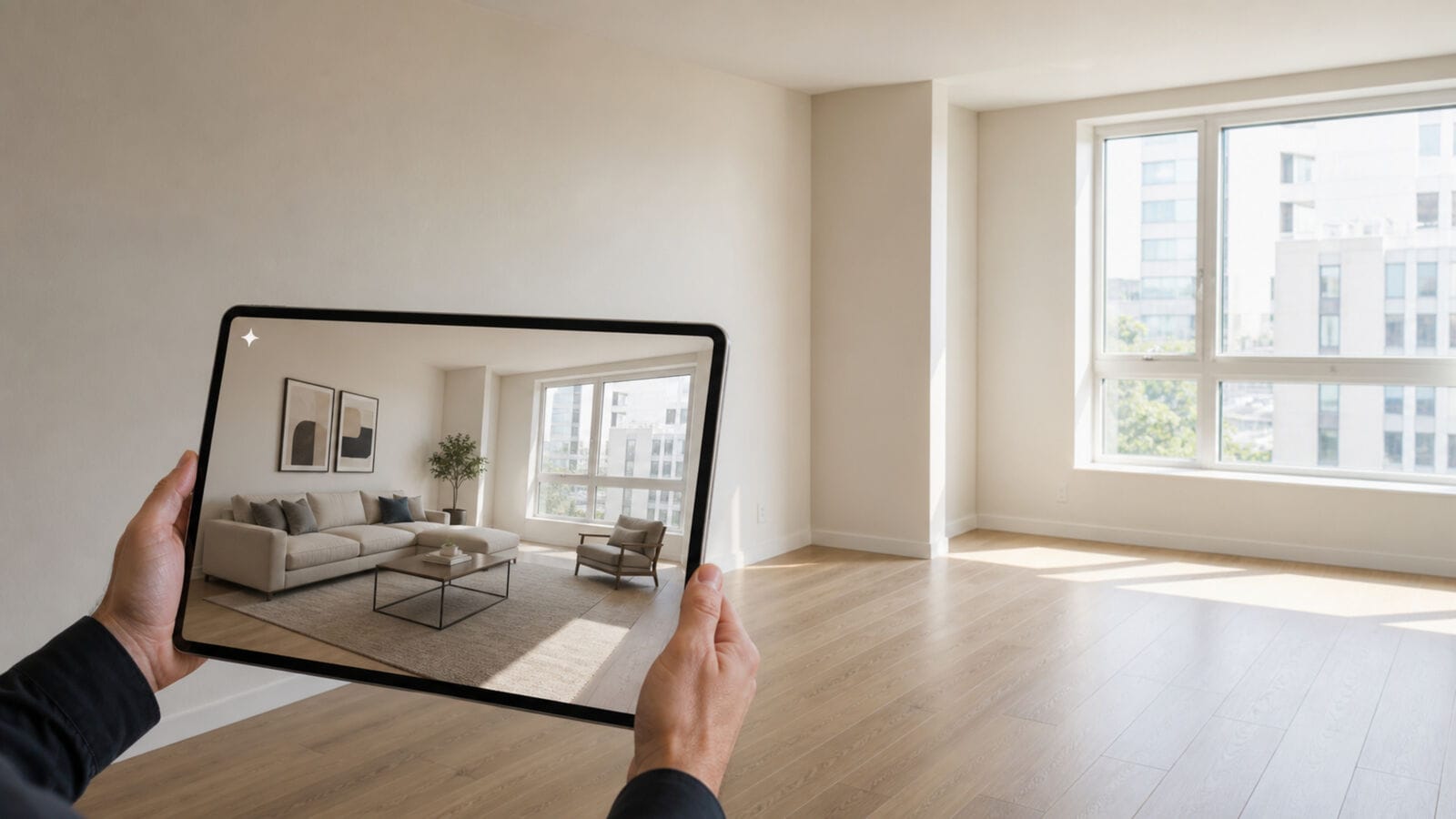
An empty living room gives you plenty of floor to look at and very little help deciding what belongs on it. If you are preparing a vacant home for sale, that can make the first furnishing decision surprisingly difficult. Free virtual staging lets you try a furniture concept in a photograph before arranging a larger staging project. Give the trial a specific job: choose one room, identify what you want to understand and compare the result with the space you actually have.
A useful first attempt might help you discuss a seating area with your listing agent or explain how a large room could feel furnished. It can also reveal that you need a better photograph. Both are useful findings. You can make that judgment with one room before spending time generating images for the rest of the property.
1. Choose the room that raises a real question
Start with a room whose purpose or furniture arrangement is hard to read in the current photographs. It might be a broad living area with no obvious place for a sofa, or a bedroom where the empty floor makes it difficult to imagine a bed and bedside furniture together.
Write down the question before opening the tool. “Could a lighter furniture style make this room easier to understand?” is a workable trial. “Make the house look expensive” gives you little basis for judging the result.
For the living room pictured here, the open floor, long wall and windows provide a useful starting point. A sofa, rug and chair can suggest where a seating area might sit. Their presence in an image will not confirm that particular products fit, but it can give you a direction to examine.
Choose a room that is already empty. Moving boxes, an existing sofa or a large cabinet can hide the wall and floor information you need. If the room still contains furniture, check the service’s input requirements before uploading; furniture removal is a separate capability.
Keep the trial narrow enough to finish. Save the other rooms for later, when you know whether the process helps you make a decision.
2. Prepare a photograph you can check
Use a current image of the actual room. Keep an untouched copy in a clearly named folder so you can return to it while reviewing every result. If a photographer supplied the image, confirm that you have permission to upload it to the service and create an altered version.
The photograph should show the floor area where furniture might go, along with the relevant windows and doorways. A view that cuts off the entrance can make an arrangement look plausible while hiding the route people need to walk through.
Hold the camera level. Choose an angle that shows the room without dramatically stretching its corners. Zillow’s real estate photography guidance recommends watching for distorted vertical lines and representing the room accurately. Check the edges of door frames and windows before choosing your image.
Lighting should let you read the room. If glare hides a window frame or a dark corner conceals a doorway, take another photograph. A trial is easier to evaluate when the original is clear enough to expose errors.
You do not need to upload every angle. Keep another view nearby as a reference if it reveals something the main photograph misses. Give each file a useful name, such as “living-room-from-entry-original,” rather than relying on a string of camera numbers.
Before generating anything, note the features that must stay: the entrance on the left, the windows at the back and the existing floor. This gives you a short inspection list for later.
3. Give the free allowance a clear purpose
Read what the free plan includes before using it. Check the number of images, whether exports carry a watermark and which controls are available. Those details determine whether you can compare several ideas or need to be selective with your first attempts.
InteriorStage, an AI room-design tool, adds furniture and decor to photographs of empty rooms. Its free virtual staging plan currently includes two watermarked room-design images per month. The service is intended for movable furnishings. Existing furniture must be cleared beforehand; changing walls, floors, doors or windows is outside the tool’s scope.
For a small allowance, make the two attempts meaningfully different. You could compare a light Scandinavian direction with a warmer traditional one using the same room photograph. Keep the room type consistent so you can concentrate on the furniture and overall appearance.
Pause after the first image. Look at it beside the original and decide what you still want to learn. Perhaps the furniture feels too visually heavy, or the room needs a simpler arrangement. Choose the next available style with that question in mind.
Illustrative AI-generated concept; Free-plan exports carry a watermark. Furniture dimensions and room details need verification.
The illustrated concept uses a pale sofa, a round table and a rug to suggest a seating area. You can assess whether that direction suits the room. It is still an illustration: the furniture is not a verified shopping list, and its apparent size is not a measurement.
4. Inspect the result before choosing a favorite
Open the original and generated image at a similar display size. Start with the room itself. Follow the wall edges, count the windows and check the openings. Look for changes to fixed lighting, flooring or anything visible through the glass.
Then examine the added furniture. A chair with an odd leg is easy to spot; a sofa that appears convincing but covers part of a doorway is more consequential. Look behind decorative objects as well. A tall plant can make a corner attractive while making it harder to see what is there.
Use the full-size image for this review. Small previews can hide warped furniture edges, repeated objects or an unclear junction between a rug and the floor. Zoom back out afterward to judge the room as a whole.
With the pictured concept, you might like the light upholstery and the round coffee table. Write those observations down separately from questions about the proposed arrangement. You still need dimensions to assess furniture footprints and walking space.
If a fixed feature has changed, set that result aside for any public presentation of the property. You may be able to learn something from its colors or furniture style, but it does not accurately show the room as it stands.
Compare the two attempts against your original question. A brighter-looking image can draw your attention even when its furniture is less suitable. Name the specific feature that makes one direction more useful.
5. Separate a trial image from a listing photo
A preview in a working folder and an image in a public listing serve different purposes. Before publishing, review the output with your listing agent and check the current rules for the MLS and other channels you intend to use.
As of October 2026, ARMLS’s Digitally Altered Media policy requires the Flexmls “Digitally Altered” disclosure for altered listing photos. The original, unaltered photograph must appear directly before or after the altered version. ARMLS also states that other companies’ watermarks are prohibited. A tool’s watermark therefore does not satisfy the MLS disclosure requirement.
Keep a watermarked trial for evaluation. If you decide to prepare listing media, obtain an appropriately licensed export that meets the destination’s requirements and have the listing agent review it. Paying for an image or exporting it without a service watermark does not, by itself, establish that it is accurate or ready to publish.
For any public use, make the relationship between the room and the concept clear. The furniture is an illustration of a possible arrangement. Keep the actual room available for comparison and avoid wording that suggests the depicted pieces are included with the property.
Also check how the image looks wherever it will appear. A crop used in a social post can cut off a label or hide an important part of the room. Review the final version in its intended format.
6. Choose the next step for the room
After reviewing the images, write a short conclusion about the room. “Light upholstery works with the floor, but the seating arrangement needs measurement” is useful. It tells you what to investigate next.
The result may lead you in several directions:
- Keep exploring the visual direction. Save the furniture shapes, colors and materials that helped you understand the room.
- Take a better photograph. If the input hid an entrance or distorted the space, improve it before spending more images.
- Check a layout. Measure the room and compare real furniture dimensions if you intend to furnish it.
- Discuss staging with your agent. Decide whether the listing needs reviewed virtual imagery, physical furniture for visits or a combination.
An empty home will still be empty when someone walks through it. If the question is how the room feels during a viewing, a furnished picture can support the discussion, but it cannot provide that physical experience.
Keep the original, each concept and your notes together. Label the generated files clearly so someone preparing a listing later does not mistake a saved trial for an approved marketing image. If you pass them to a photographer or staging professional, include the specific points you want them to examine.
There is no need to generate the whole house to complete a useful free virtual staging trial. Finish the first room with a clear next action: retake the photograph, measure a furniture position or ask your agent to review a particular concept. That gives the next person something concrete to work with.