
Advanced Excel has moved well past PivotTables. After Microsoft launched Copilot, Udemy reports that demand for Copilot training surged 3,400 percent in 2025. In 2026, “advanced” now means auditing Copilot’s suggestions, shaping data with Power Query, modeling in DAX, and launching LAMBDA formulas. Yet when you search for an “advanced Excel course for business professionals,” you wade through identical promises—prices range from lunch-money cheap to a week’s pay, and a “certificate” can mean anything from binge-watching videos to passing a proctored exam. We scored the standouts on curriculum depth, business relevance, credential strength, value, learner proof, support, and update freshness.
How we ranked the courses
Each program faced the same seven-point rubric, weighted toward skills business pros use every day:
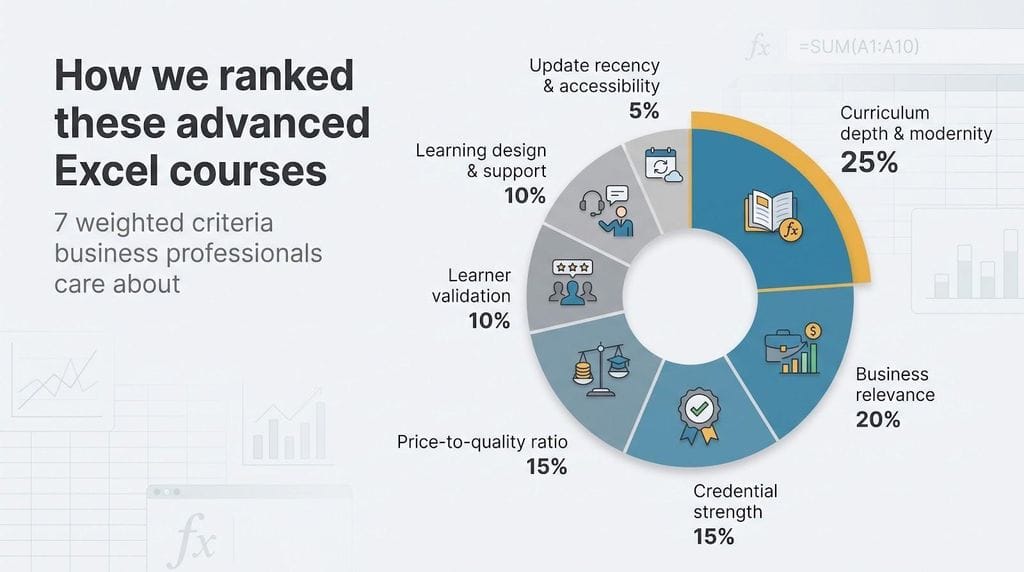
| Criterion | Weight |
| Curriculum depth and modernity | 25 percent |
| Business relevance | 20 percent |
| Credential strength | 15 percent |
| Price-to-quality ratio | 15 percent |
| Learner validation | 10 percent |
| Learning design and support | 10 percent |
| Update recency and accessibility | 5 percent |
To earn a top score, a course must cover modern formulas, Power Query, data modelling, dashboards, and at least one automation layer. We also checked that lessons map to real dashboards or close-of-month models, ranked exam-based credentials above simple completion badges, weighed cost against access length and support, and considered review volume plus 2025–2026 syllabus updates.
1. GoSkills: best overall for busy professionals
Need advanced skills without blocking out a semester? GoSkills’ Excel 365 Advanced course packs roughly 3 hours of video and 14 hours of total study into bite-size lessons that still cover dynamic arrays, XLOOKUP, PivotTables, LET, and LAMBDA.
A single subscription also unlocks hundreds of other classes, such as Power Query, Power Pivot, dashboards, VBA, and Python for Excel, so you can add skills only when a project calls for them.
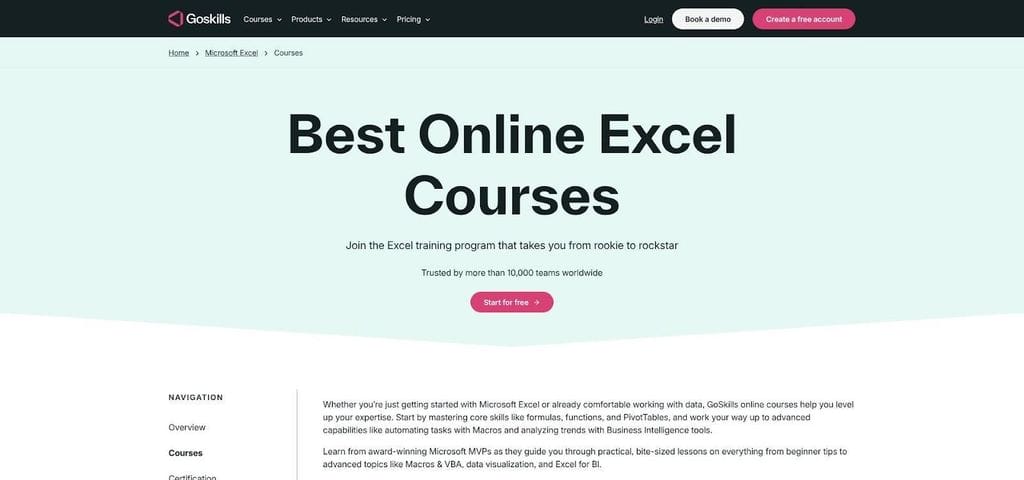
GoSkills Excel 365 Advanced Course Catalog Screenshot.
The plan costs 39 dollars per month or 249 dollars per year and issues CPD-accredited certificates you can record with HR. Learners endorse the format with a 4.7-star rating from about 1,400 reviews. Explore the full catalog of Excel courses to preview short videos, matching practice files, and quick quizzes created by Excel MVP Ken Puls.
If your calendar is full but your spreadsheets keep growing, GoSkills offers the shortest route from intermediate user to confident power analyst, no weekend marathon required.
2. XelPlus: best for Power Query, data modeling and automation
When weekly exports feel like a data-cleaning grind, XelPlus’ Power Pro Bundle zeros in on what matters: Power Query for shaping raw files, the Data Model with DAX for multi-million-row analysis, and Power Automate for scheduled refresh and email delivery.
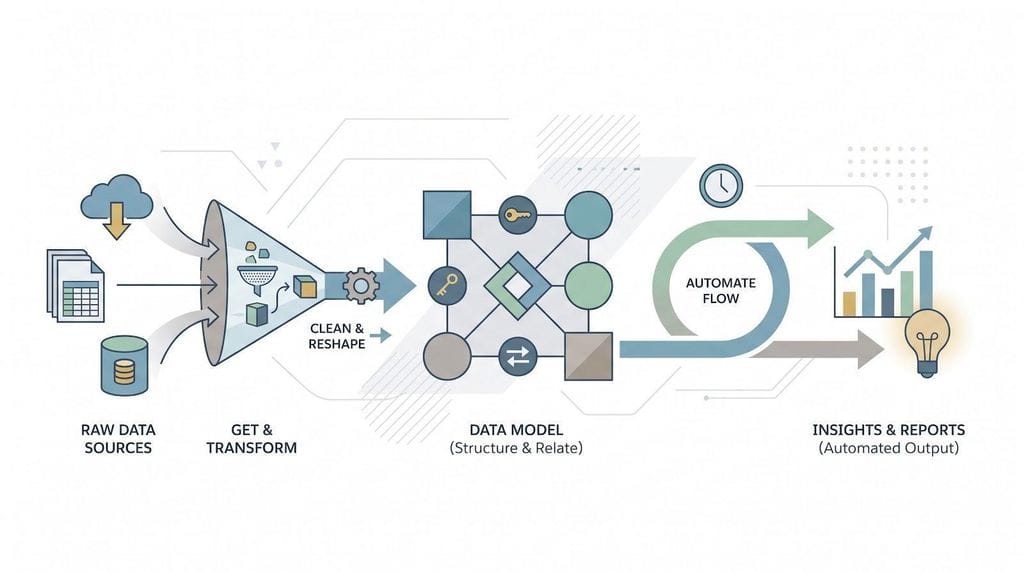
Learners invest about 40 hours of project-driven video, moving from “import this CSV” to a “one-click dashboard refresh.” Each lesson pairs a challenge file with a step-by-step solution, and teaching assistants watch the Q&A so roadblocks do not halt progress.
The one-time fee is 549 dollars for lifetime access. Completion earns three CPD-accredited certificates, 40 documented professional-development hours, and Credly badges that recruiters can verify instantly. Public aggregate ratings are not shown, but XelPlus shares testimonial snapshots and case studies on the course page.
Choose XelPlus when manual data cleanup dominates your day: by the final module, Power Query rewrites the raw feed and DAX-powered visuals update themselves while you focus on analysis.
3. Coursera + Macquarie University: best for a university-style deep dive
Prefer professor-level scrutiny over passive video? Macquarie University’s self-paced Excel Skills for Business: Advanced course on Coursera delivers that structure. The program spans seven modules, 29 graded assignments, and about 30 hours of study; every submission receives machine-scored feedback that pinpoints the exact formula or array you missed.
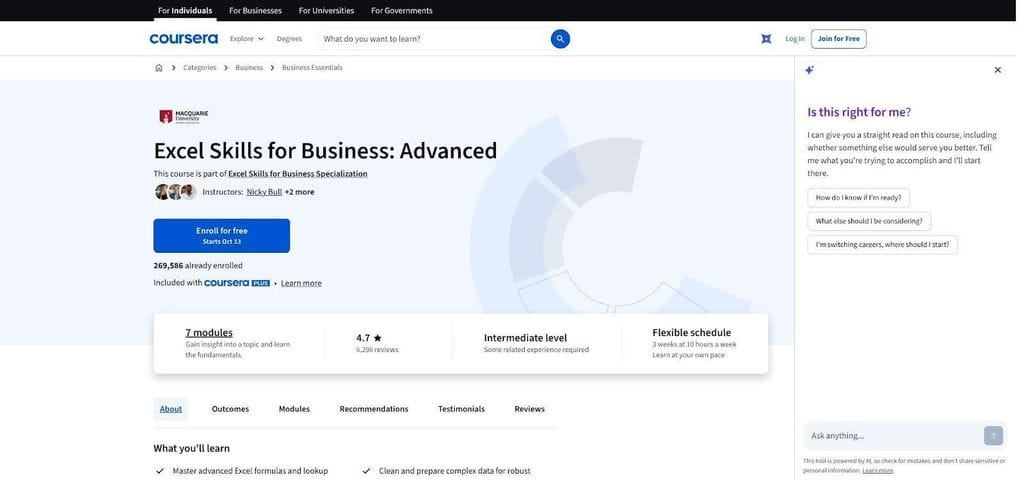
Coursera Excel Skills for Business Advanced by Macquarie University Screenshot.
Learner validation is strong: more than 266,000 students have completed the class and still award it 4.7 stars out of 5. Pricing stays predictable with Coursera Plus (59 dollars per month or 399 dollars per year), and financial aid is usually approved within days. Finish and you earn a shareable Macquarie University certificate, a stronger signal than a basic completion badge, although it stops short of Microsoft’s proctored MOS exam.
One caution: the syllabus covers modern formulas, large-dataset design, and dashboarding but offers only introductory Power Query content and no dedicated Power Pivot/DAX track.
Explore the full Excel Skills for Business: Advanced course on Coursera to see assignment samples and pacing guides before enrolling.
4. Udemy + Kyle Pew: best budget all-in-one course
When price decides whether training happens this quarter, Kyle Pew’s flagship Udemy class offers depth for pocket change. Frequent promotions drop the cost to about 13 dollars per month through Udemy’s Personal Plan, yet the syllabus spans 22 hours and 53 minutes of video covering everything from SUMIFS basics to VBA macros.
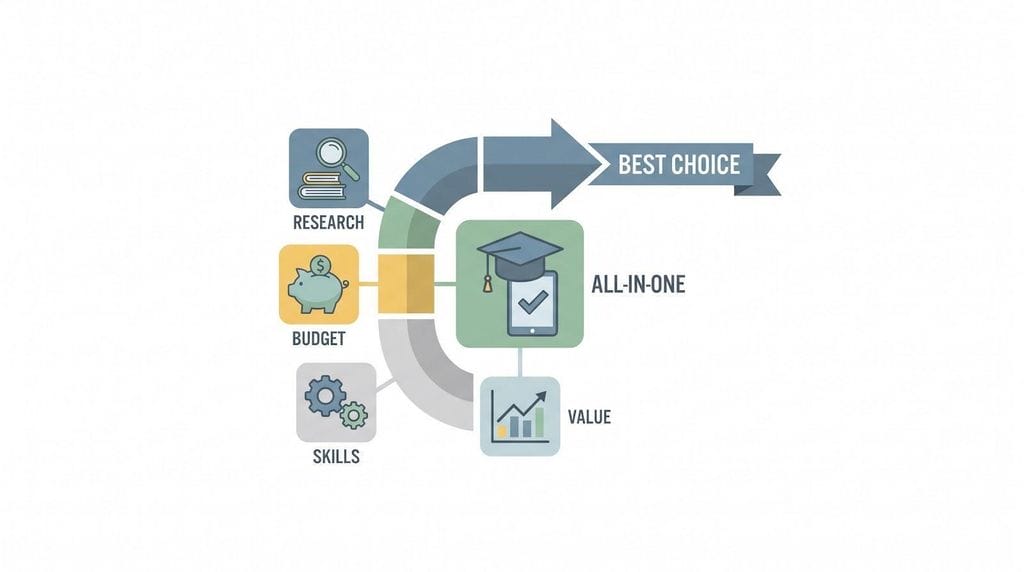
The pacing accelerates quickly. By the halfway mark you will write DAX in Power Pivot, shape data with Power Query, and test Copilot-assisted formulas added in the September 2026 update. The numbers support its popularity: 1.83 million learners, roughly 545,000 verified ratings, and a 4.7-star average.
Udemy issues a completion certificate rather than an accredited badge, but you gain lifetime access plus an active Q&A where the instructor or community usually responds within a day. Pair the course with a portfolio workbook, or add the MOS Excel Expert exam, for stronger résumé proof.
Explore the full Microsoft Excel – Excel from Beginner to Advanced 2026 course on Udemy before the next sale rolls around.
5. LinkedIn Learning: best for employer-sponsored learners and résumé visibility
If your company already pays for LinkedIn Learning, the nine-course Master Microsoft Excel path lets you train during work hours and display progress on your profile with a single click. The sequence totals about 14 hours: it starts with productivity shortcuts, then moves into advanced formulas, PivotTables, dashboards, plus primers on Power Query and macros. Each course is led by a specialist such as Dennis Taylor, Oz du Soleil, or Chris Dutton, and short quizzes reinforce the lessons before you return to meetings.
A 2025 Advanced Formulas and Functions module keeps the curriculum current with dynamic arrays and XLOOKUP, and the most-watched advanced segment holds a 4.7-star rating from roughly 392 reviews. Pricing remains steady at 39.99 dollars per month for Premium Career, or zero cost if your employer or public library provides access. Finish the path and LinkedIn places a completion badge directly on your profile, useful for recruiters who filter for Microsoft 365 skills.
Choose LinkedIn Learning when corporate compliance, budget approval, or public credential visibility top your checklist. Explore the full Master Microsoft Excel learning path on LinkedIn Learning before you enroll.
Certification vs. certificate: why Microsoft’s MOS Expert still matters
A completion badge shows you watched the lessons, but an exam-based certification proves you mastered the skills. Microsoft’s Office Specialist: Excel Expert (MO-211) is the clearest benchmark. The proctored test costs 100 dollars in the United States and stays current for 60 months before renewal. It covers every topic in this roundup, including dynamic arrays, Power Query links, and VBA automation, and it goes further with tasks such as customizing the ribbon and locking workbook security.
Practical upgrade path
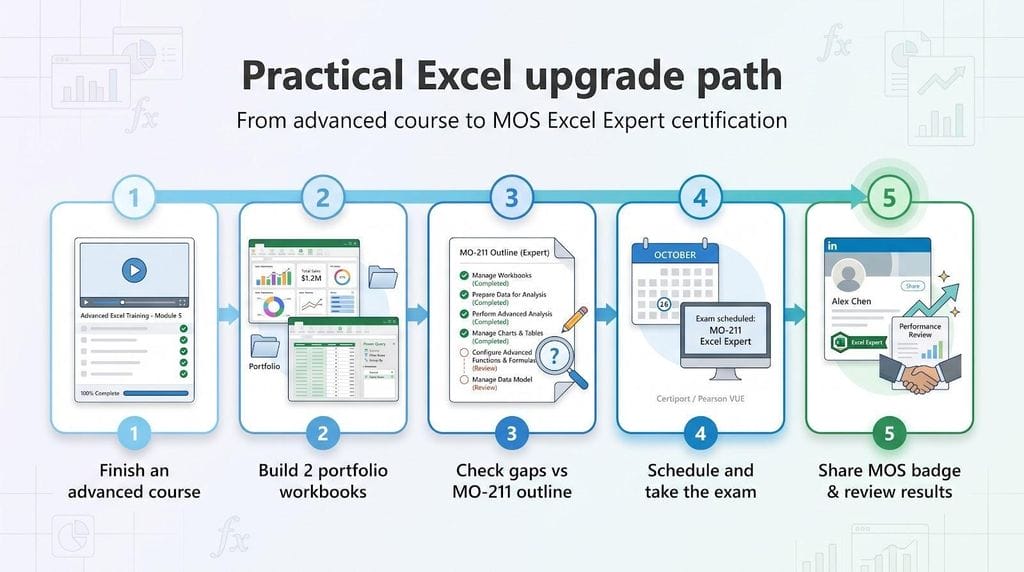
- Finish one of the ranked courses, including all exercises.
- Build two portfolio workbooks—a dashboard and a Power Query model—based on your day-job data.
- Compare your skills against Microsoft’s MO-211 outline and fill any gaps.
- Book the exam through Certiport or Pearson VUE.
- Post the verified MOS Expert badge to LinkedIn and include it in your next performance review.
Pairing project evidence with a vendor-verified certification carries far more weight than a standalone course badge, especially when “advanced Excel” appears in a job description.
Other strong options worth a look
- Corporate Finance Institute (CFI). Best for finance pros who need CPE credit. The Advanced Excel Formulas & Functions course takes 4 h 30 m and costs 347 dollars per year for the course-only plan, a steep fee if Excel is your sole focus.
- Wall Street Prep. Ideal low-cost finance refresher. The 8 h 39 m Excel Crash Course covers shortcuts, sensitivity tables, and LAMBDA for a 39-dollar one-time payment.
- ExcelJet. Perfect as a permanent formula reference. Short video modules range from 39 to 199 dollars and grant lifetime access, but they skip Power Query and data modeling.
- Chandoo Excel School. Solid for dashboard storytelling. The recorded program costs 147 dollars (or 247 dollars with the dashboard add-on) and offers two years of access, yet its Excel 2016 base means fewer modern-array examples.
None of these options match the Top 5 on breadth or credential strength, but each excels for the right niche learner.
How to pick the right course for your role
Match your biggest spreadsheet pain to the program that fixes it:
- Data-dump wranglers (analysts, operations). XelPlus’s 40-hour Power Pro Bundle drills Power Query and DAX until recurring reports refresh with one click.
- Finance and FP&A pros. Coursera’s graded Macquarie course (30 h) offers university rigor, and you can choose CFI instead if you need NASBA CPE credit.
- Budget-conscious learners. Udemy’s 22 h 53 m course costs about 13 dollars per month through Personal Plan and includes lifetime access to Power Pivot and macros.
- Employer-sponsored staff. Check whether GoSkills, LinkedIn Learning, or both are already in your company’s license, and note that each tracks progress automatically.
- Certification seekers. Any Top 5 course covers the skills, but adding the 100-dollar MOS Excel Expert exam turns a completion badge into verifiable proof.
Phoenix-area training shortcut
Arizona employers looking for a private cohort can book Certstaffix’s live-online or onsite Excel workshops in Phoenix. A seven-course Excel 365 e-learning bundle costs 275 dollars per learner and scales to whole teams, while live classes are priced per day. Before you sign, confirm that the agenda covers Power Query and dashboard design. Check current dates and formats on Certstaffix’s Phoenix Excel training page.
Conclusion
Advanced Excel skills now span dynamic arrays, Power Query, DAX modeling, and automation layers. The five courses highlighted above equip business professionals with those capabilities while offering various price points, learning styles, and credential strengths to match different roles and budgets.