Local shops around Phoenix already own the photo. The counter, the plate, the storefront at dusk. The ad slot still wants a few seconds of motion, and the owner has to decide whether that motion starts from the photo or from a script written in a blank box. image to video is the photo route. A text prompt with no upload is a different route. They do not fail the same way, and they should not be reviewed as if they did.
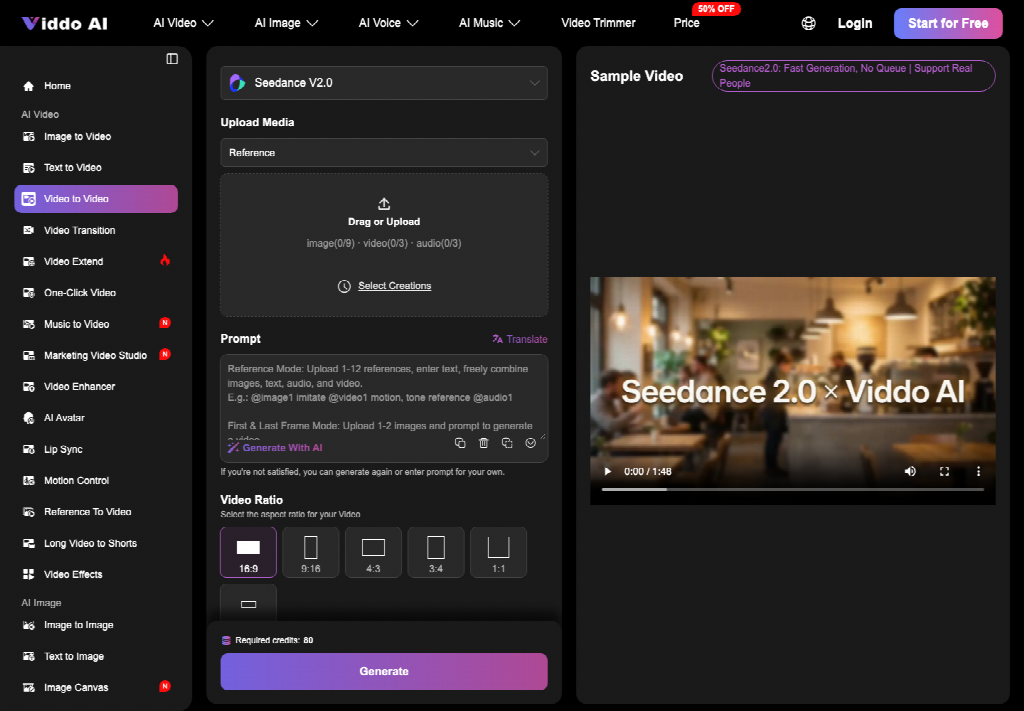
The decision is practical. If the photo is the thing customers already trust, the clip should keep that thing. If there is no photo, a script can draft a scene, and someone still has to check that the scene is a place the shop actually has. Viddo AI runs both from the same kind of panel: choose the mode, add the image or the prompt, set resolution, ratio, and duration, then Generate. Audio can be added too. None of that chooses the route for you.
The Ad Decision A Local Shop Actually Faces
A restaurant, a retailer, or a service counter usually has three files and not much time. A phone photo from last week. A caption the manager already posted. A request from someone running ads who wants “video.” The request sounds like one task. It is two. Either you move the photo you have, or you describe a scene you hope will look like the shop.
The wrong choice shows up in the first second. A scripted scene opens on a dining room that is brighter, larger, or more generic than the real one. Regulars notice. A photo-based clip that melts the sign is worse, because it uses a true image and then breaks it. Both are unusable for a paid placement. The review question is which mistake you are set up to catch before the budget spends.
Time is the other constraint. A reshoot on a service night means closing a corner, finding light, and waiting on a cut. That can burn an evening the shop does not have before a weekend push. A generated clip is faster only if the route matches the asset. Speed on the wrong route just delivers a file you have to reject.
Two Routes When The Counter Photo Exists
Put the routes side by side before anyone opens a model menu. The photo route uploads the still and asks for motion on that still. The script route types a scene and may never look at the still. A reshoot uses neither. Most local ads should not start on the reshoot if a clean photo already exists.
| Route | What you start with | What usually breaks | When it fits |
| Photo to clip | The still customers already know | Sign, plate, or logo drifts | The photo is the product |
| Script to clip | A written scene and no upload | The room is not your room | You have no usable photo yet |
| Reshoot | The real counter and a camera | The night and the schedule | The still itself is unusable |
Read the middle column first. If your fear is a wrong sign, you want the photo route and a sign check. If your fear is a fake dining room, you do not want a script that never saw the shop. If the photo is blurry, dark, or cropped through the name, neither generated route will invent a better truth. That is the reshoot row.
What The Photo Route Keeps From The Still
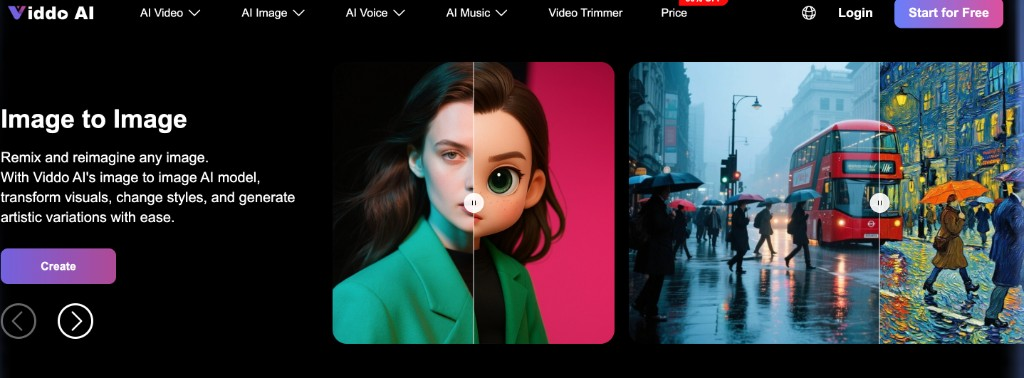
On the image-to-video page in Viddo AI, you upload the still and describe the motion. You can bring in more than one image and point at assets in the prompt, but a local ad rarely needs that. One storefront, one plate, one motion. You then choose resolution, aspect ratio, and duration for the placement, not for a showreel. After a clip exists, Extend Video sits under it if you want the scene to continue. That button is a second decision, not the first.
Audio is a separate layer. You can add ambient sound, music, or a narration line that follows the picture. For a shop ad, ambient room tone or a short line you already approved is safer than a narration that adds a price, a claim, or a neighborhood the photo does not show. Sync does not check your offer. You do.
Set Resolution Ratio And Duration First
Set the frame before you judge the motion. A feed placement and a website banner do not share a shape. 16:9 holds a wide counter. 9:16 holds a phone story. If you generate wide and then crop tall, you will cut the sign in half and call it a creative choice. Duration should match the buy. A few seconds that hold the plate are enough. A long clip invites extra action you did not photograph.
Extend Video continues a clip you already have. Use it when the first seconds keep the sign, the plate, and the room, and you need a little more time for the same shot. Do not use it to repair a first clip that already changed the logo. Extending a drift just gives you a longer drift. Accept the short clip, or generate again from the still. The page is clear that you can continue a storyline after generation. It does not say the continuation fixes a bad start.
What Changes When You Start From A Script
Text to video, on its own page inside Viddo AI, starts from a prompt and a model choice. That route fits a concept you cannot photograph today: a closed storefront you may open, a dish that is not plated yet. It does not fit a claim that “this is our dining room” unless someone who knows the room rejects the mismatches. A script will happily build a nicer room. Nicer is not the same as yours.
If you do start from words, write the constraints in the prompt the way you would brief a shooter. No extra signage. No second logo. No crowd that implies a permit you do not have. Then compare the clip to a real photo even if you did not upload it. The compare is the whole control. Without it, you are approving a place the model found plausible.
Reject A Room That Is Not Your Shop
Pause on the first wide frame. If the counter, the window, or the sign could belong to any city, the script route has left your shop. Do not extend that clip and do not add music to make it feel local. Generate again with the real constraints, or switch back to the photo you already trust. A local ad that could run for a different business is a failed ad, even when the lighting is flattering.
An ai image to video job should stay on the photo route when the still exists. Switching to a script because the first motion felt plain is how shops lose the asset they actually had. Plain and true beats lively and wrong for a local ad. Customers are not grading cinema. They are checking whether they recognize the place.
Where This Clip Still Needs A Human Look
The clip still needs a person who knows the shop. Read the sign, the price if one is visible, and the dish name. A generator will not know that Tuesday’s special ended. It will not know that the patio in the photo is under construction this month. If those details matter in the ad, they have to be checked outside the panel. Motion does not clear them.
Which Route Fits A Shop Ad This Month
Start from the photo when the still is already honest and the placement needs motion. Start from a script only when you have no still, and budget a human compare against the real room. Book the reshoot when the still cannot be read. Viddo AI can run the first two. It does not pick between them, and it does not extend a clip that already failed the sign.
The ad is ready when a regular could glance at the first second and name the shop without help. If they cannot, you chose a route that left the photo behind.