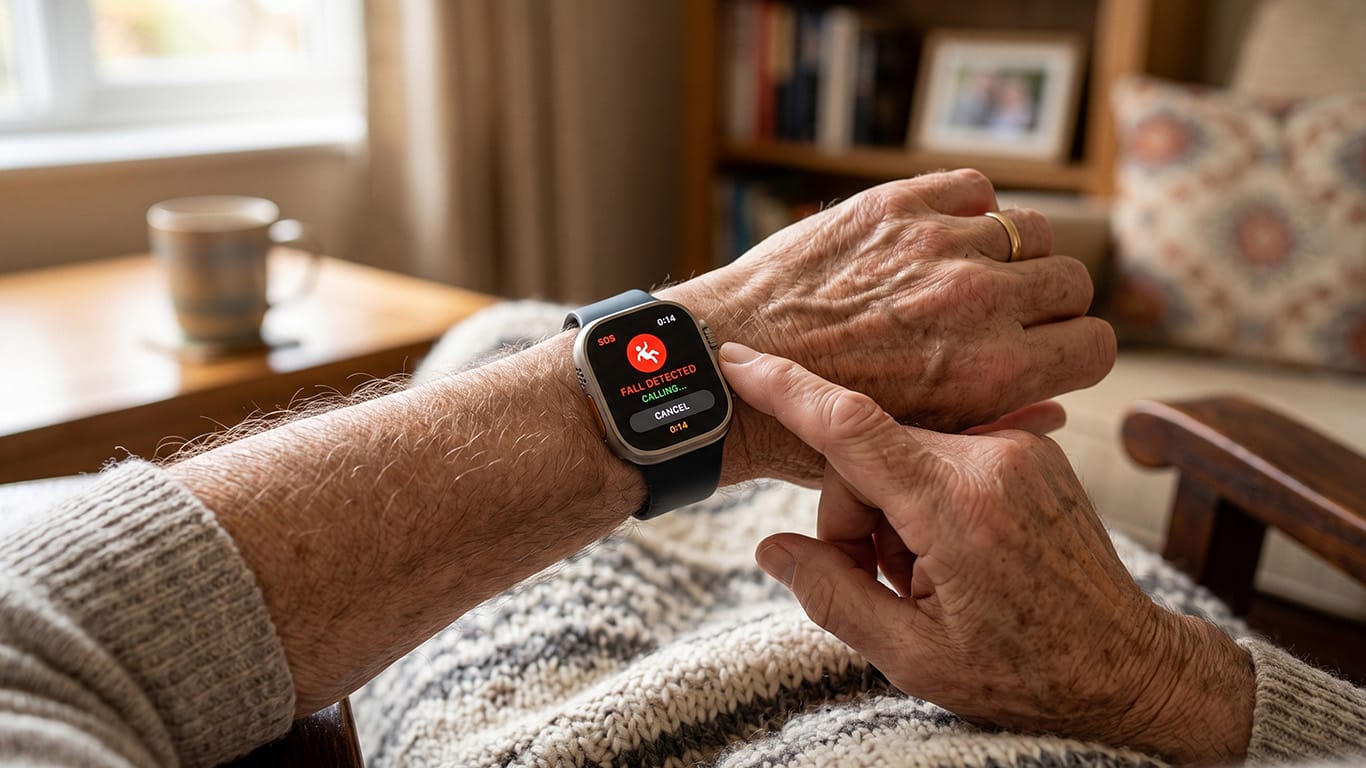
For a long time, the choice facing aging parents and their families felt binary. Either mom or dad stayed in the home they’d lived in for decades, and everyone worried, or they moved into assisted living, and everyone felt guilty about it.
Medical alert technology has quietly changed that equation. It’s not a perfect fix, and it won’t replace a caregiver who checks in daily, but it’s given a lot of families a middle path they didn’t have ten years ago.

Why Falls Are the Real Trigger for This Conversation
Almost every family that starts looking into alert systems is doing it because of a fall, either one that already happened or one they’re afraid is coming.
That fear is grounded in something real. More than 1 in 4 adults aged 65 and older reports falling at least once a year, and the injuries that follow aren’t always immediate.
Sometimes the bigger danger is what happens after the fall: lying on a bathroom floor for hours because nobody knew, because the phone was in the other room, because calling for help wasn’t possible.
That’s the specific problem a mobile medical alert device is built to solve. Unlike the old landline-based units that only worked inside the house, a mobile unit goes wherever the person goes. It works in the yard, at the grocery store, on a walk around the block. It combines GPS tracking, automatic fall detection, and a direct line to a live agent, so someone doesn’t have to press a button correctly or even be conscious to get help moving.
For a lot of families, that mobility piece is what finally makes the technology worth adopting. A device that only works at home solves half the problem. A device that works everywhere solves the actual problem.
What These Devices Actually Do Well
The core function hasn’t changed much since the earliest pendant alarms: press a button, talk to someone, get help sent. What’s improved is everything around that core function.
- Fall detection has gotten better at telling the difference between a real fall and someone sitting down too fast.
- GPS accuracy means dispatchers can find someone even if they can’t say where they are.
- Battery life has stretched from a day or two to closer to a week on many devices, which matters because a device nobody remembers to charge is a device that doesn’t work.
The subscription model is worth understanding too, since it’s often the sticking point for families on a budget.
Most companies charge a monthly fee that covers the monitoring service, not just the hardware. That fee pays for a live person answering calls at 3 a.m., every night, without exception.
It’s not a small cost over a year, but next to in-home care or an assisted living facility, it’s a fraction of the price, and it buys something those options can’t: the parent staying in their own house.
What Families Get Wrong When They Shop for One
Most of the mistakes families make aren’t about the technology itself. They’re about the shopping process, and they tend to repeat themselves from one family to the next.
- Skipping fall detection to save a few dollars a month. Automatic fall detection matters most for people who live alone and might not be able to press a button after a fall, which is exactly the population these devices are meant to serve. Skipping it defeats the purpose for anyone with a history of falls or a condition that affects balance.
- Not checking cell coverage before buying. A mobile unit is only as good as the network it runs on. If grandma spends her mornings gardening in a spot with weak signal, that’s worth testing before committing to a year of service.
- Ignoring how the device is actually worn. A pendant that sits in a drawer because it feels like a medical bracelet does nobody any good. Some seniors prefer a wristband instead. The best device is the one that actually gets worn every day, not the one with the longest feature list.
- Choosing based on price alone without comparing what’s included. Some plans include fall detection and GPS as standard. Others charge extra for either one. Two devices that look similar on price can end up very different once those features are added in.
- Treating the device as a replacement for conversation instead of a supplement to it. An alert system tells you when something goes wrong. It doesn’t tell you how someone’s doing day to day, or whether they’re lonely. Families who do this well still call, still visit, and use the device as a safety net underneath all of that.
The Bigger Shift Behind the Technology
What’s changed most isn’t the hardware. It’s the expectation. Ten years ago, an alert pendant was something you got after a scare, often reluctantly, often after an argument. Now it’s closer to a seatbelt: something you put on before anything happens, because the cost of being wrong is so much higher than the cost of being cautious.
That change in thinking, more than any single feature upgrade, is what’s letting seniors stay in their own homes longer and letting their families sleep a little easier while they do it.